> ## Documentation Index
> Fetch the complete documentation index at: https://docs.getcara.ai/llms.txt
> Use this file to discover all available pages before exploring further.
# Certificate Review
> Review certificates of insurance for accuracy, completeness, and potential errors & omissions (E&O) exposure. Cara cross-checks the certificate against policy documents to identify discrepancies, missing information, or compliance issues.
### How it works
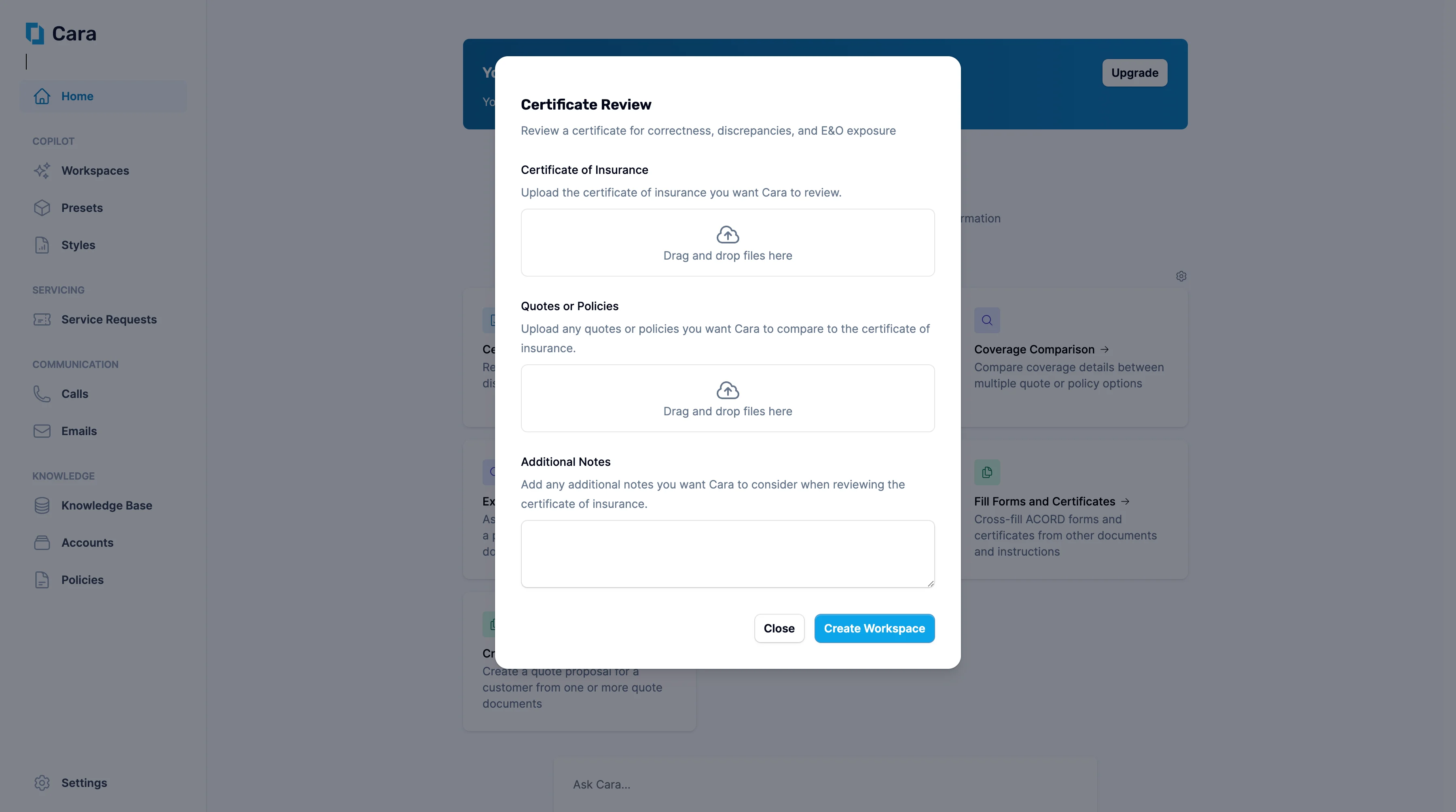 * Upload the certificate of insurance you want Cara to review in the first section.
* Upload any related quotes or policies in the second section—this allows Cara to compare the certificate details against the actual coverage to identify potential discrepancies.
Use the Additional Notes section to provide specific context for the review, such as "Check GL limits match contract requirements" or "Verify additional insured endorsements are properly reflected."
Once you click Create Workspace, Cara will generate a comprehensive review showing:
* **Accuracy check:** Verification that certificate details match the underlying policy information
* **Completeness assessment:** Identification of any missing required information or endorsements
* **E\&O risk analysis:** Flagging of potential errors or omissions that could create liability exposure
* **Compliance review:** Assessment against standard certificate requirements and industry best practices
* Upload the certificate of insurance you want Cara to review in the first section.
* Upload any related quotes or policies in the second section—this allows Cara to compare the certificate details against the actual coverage to identify potential discrepancies.
Use the Additional Notes section to provide specific context for the review, such as "Check GL limits match contract requirements" or "Verify additional insured endorsements are properly reflected."
Once you click Create Workspace, Cara will generate a comprehensive review showing:
* **Accuracy check:** Verification that certificate details match the underlying policy information
* **Completeness assessment:** Identification of any missing required information or endorsements
* **E\&O risk analysis:** Flagging of potential errors or omissions that could create liability exposure
* **Compliance review:** Assessment against standard certificate requirements and industry best practices