> ## Documentation Index
> Fetch the complete documentation index at: https://docs.getcara.ai/llms.txt
> Use this file to discover all available pages before exploring further.
# Contract Review
> Analyze contracts for insurance requirements and compare them against your quote or policy details to ensure compliance. Identifies coverage gaps, limit discrepancies, and specific endorsement requirements that need to be addressed.
### How it works
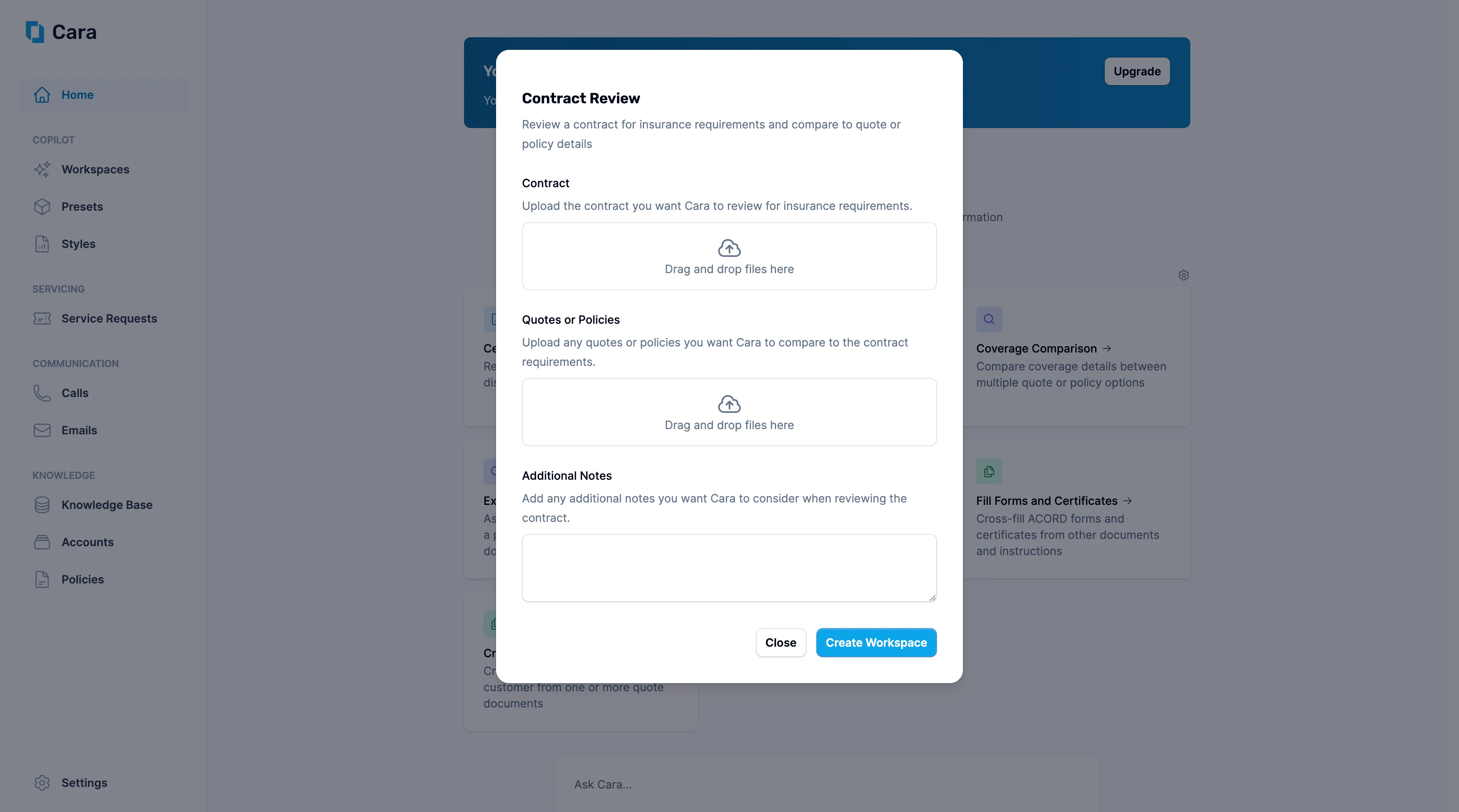 * Upload the contract you want Cara to review for insurance requirements in the first section.
* Upload any related quotes or policies in the second section—this allows Cara to compare the contract's insurance requirements against your proposed or existing coverage.
Use the Additional Notes section to highlight specific areas of concern, such as "Focus on indemnification clauses" or "Check if cyber liability requirements are met by current policy."
Once you click Create Workspace, Cara will generate a detailed analysis showing:
* **Insurance requirements extraction:** Clear summary of all insurance obligations specified in the contract
* **Coverage gap analysis:** Identification of areas where current quotes/policies don't meet contract requirements
* **Limit comparisons:** Verification that policy limits satisfy contract minimums
* **Endorsement requirements:** Specific additional insured, waiver of subrogation, or other endorsements needed
* Upload the contract you want Cara to review for insurance requirements in the first section.
* Upload any related quotes or policies in the second section—this allows Cara to compare the contract's insurance requirements against your proposed or existing coverage.
Use the Additional Notes section to highlight specific areas of concern, such as "Focus on indemnification clauses" or "Check if cyber liability requirements are met by current policy."
Once you click Create Workspace, Cara will generate a detailed analysis showing:
* **Insurance requirements extraction:** Clear summary of all insurance obligations specified in the contract
* **Coverage gap analysis:** Identification of areas where current quotes/policies don't meet contract requirements
* **Limit comparisons:** Verification that policy limits satisfy contract minimums
* **Endorsement requirements:** Specific additional insured, waiver of subrogation, or other endorsements needed