> ## Documentation Index
> Fetch the complete documentation index at: https://docs.getcara.ai/llms.txt
> Use this file to discover all available pages before exploring further.
# Fill Forms & Certificates
> Quickly complete ACORD forms or certificates using data from quotes, binders, applications, emails, or other documents.
### How it works
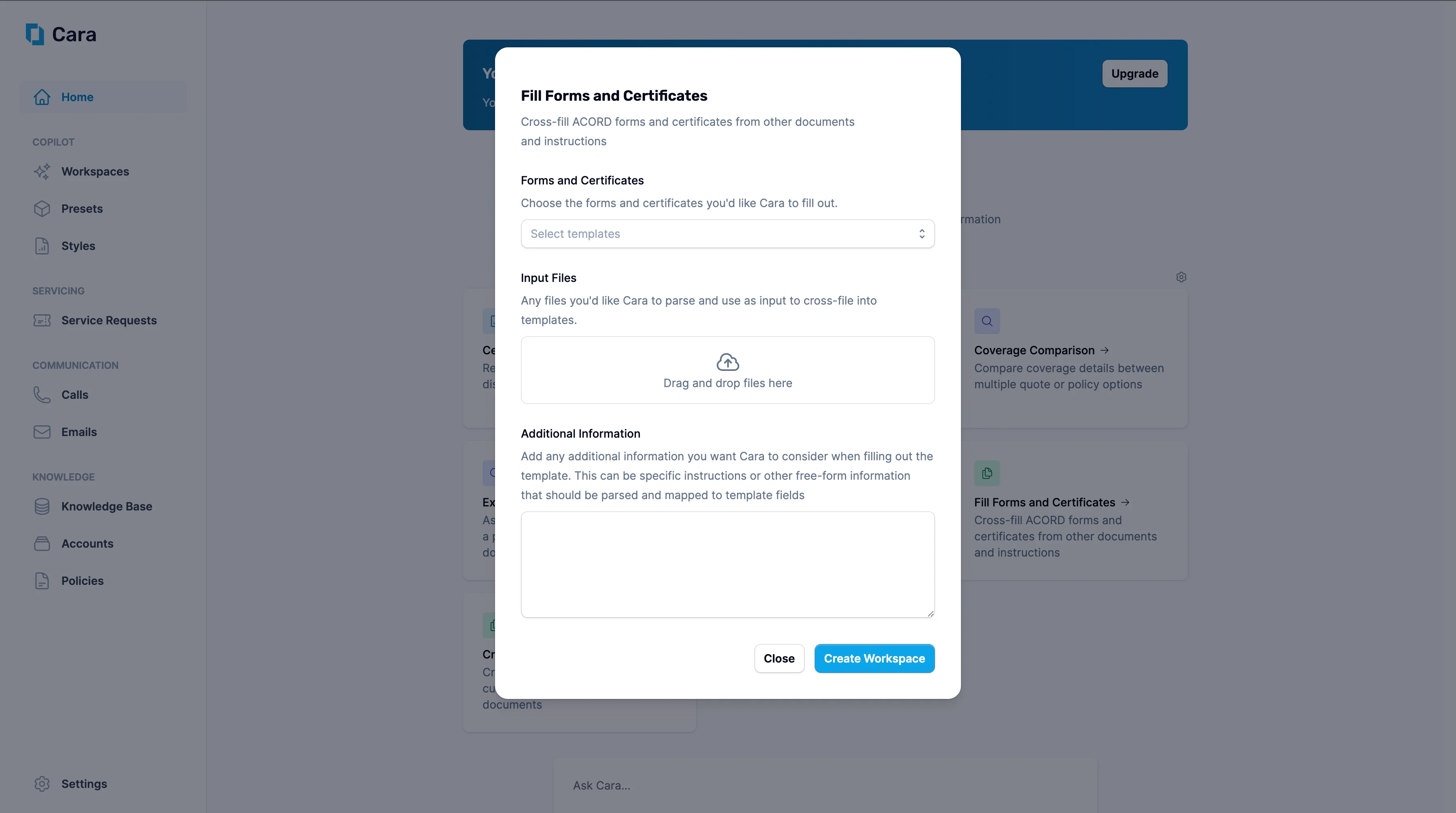 1. Upload any relevant source materials—quotes, binders, policies, emails, or written instructions—in any format.
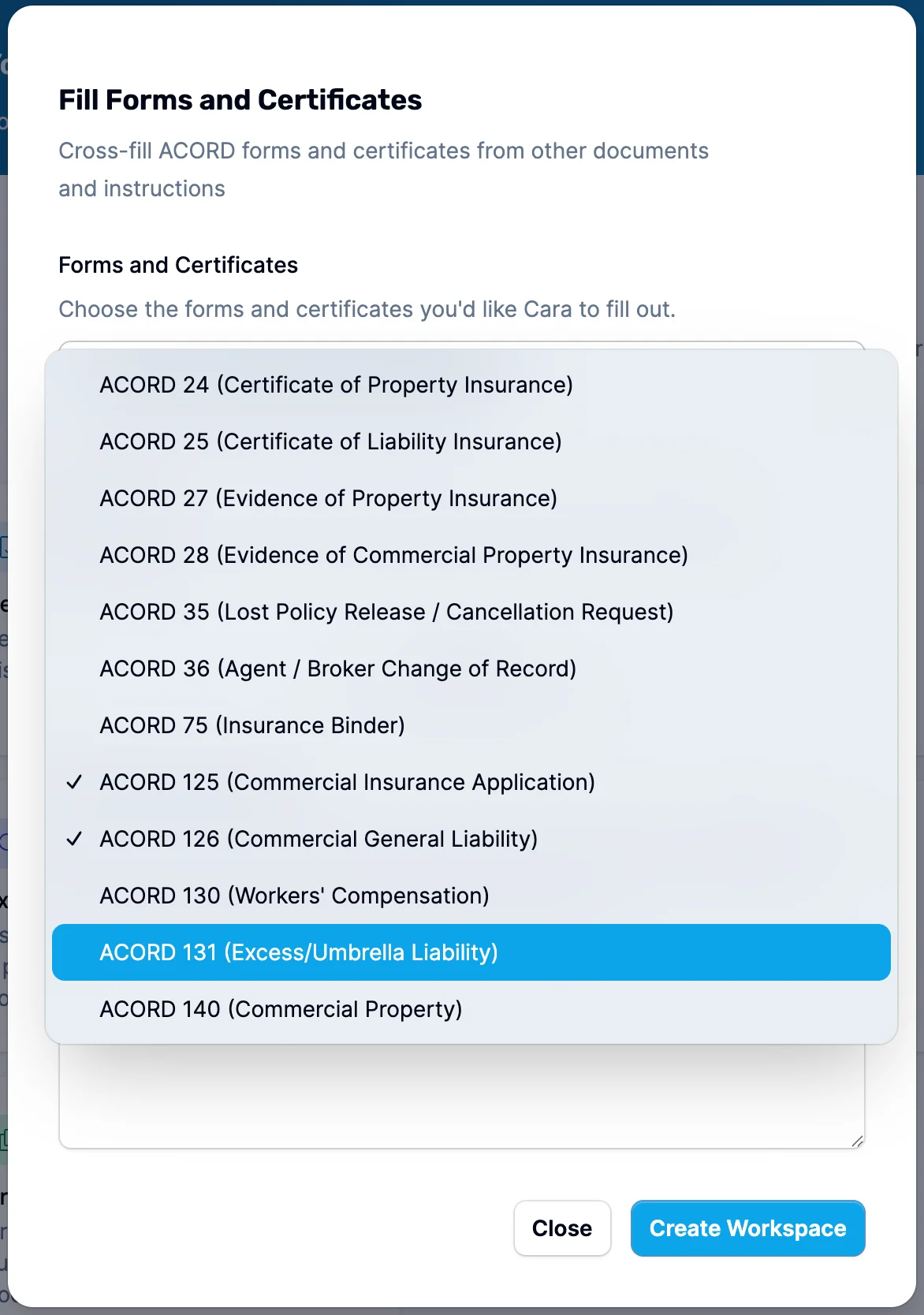
2. Specify the form(s) or certificate(s) you need to complete (e.g., ACORD 25, ACORD 130, or a Certificate of Insurance).
You can also select multiple forms at once, such as ACORD 125 and 126 for a General Liability application.
1. Upload any relevant source materials—quotes, binders, policies, emails, or written instructions—in any format.
2. Specify the form(s) or certificate(s) you need to complete (e.g., ACORD 25, ACORD 130, or a Certificate of Insurance).
You can also select multiple forms at once, such as ACORD 125 and 126 for a General Liability application.
 3. Cara will automatically extract key information and populate the correct fields on the selected form(s). For each type of form, Cara may also prompt for additional information, for example:
* **ACORD 24 & 25** – Name and address of the certificate holder (if omitted, Cara defaults to the named insured's details).
* **ACORD 27 & 28** – Name and address of the additional interest (if omitted, Cara will attempt to infer or flag for input).
3. Cara will automatically extract key information and populate the correct fields on the selected form(s). For each type of form, Cara may also prompt for additional information, for example:
* **ACORD 24 & 25** – Name and address of the certificate holder (if omitted, Cara defaults to the named insured's details).
* **ACORD 27 & 28** – Name and address of the additional interest (if omitted, Cara will attempt to infer or flag for input). 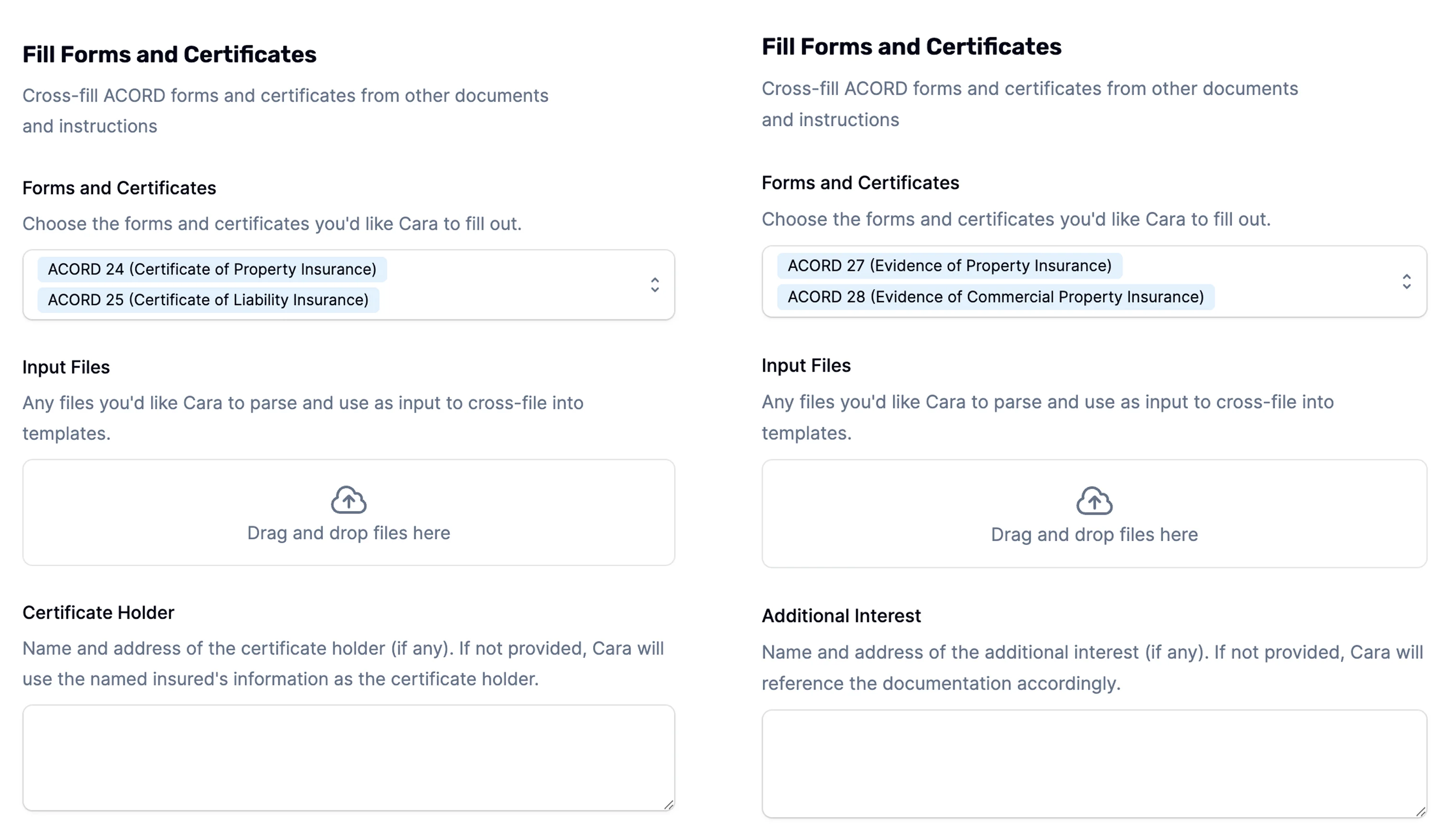 You can also include **Additional Information** to guide how the forms are filled—e.g. “Use mailing address from binder,” or “Replace carrier name with program administrator.”
Once you click **Create Workspace**, Cara will:
* Generate a completed PDF of the form or certificate
* Include a summary of findings, highlighting anything important:
* Flag missing, ambiguous, or conflicting information
* Suggest likely values using historical data or public sources if something is missing
* Call out any instructions that were unclear or that may expose you to E\&O risk
From here, you can ask Cara any kind of follow up. Common ones include:
* Edit the PDF directly if needed, or simply tell Cara what to change.
* Ask Cara to generate an email to send to the client
* Push the document back to your integrated AMS (e.g. Hawksoft, Momentum)
### Supported ACORD forms
Cara supports generation of the following ACORD forms and certificates:
| Form | Description |
| -------------------------------- | -------------------------------------------------------------------------------------------------------------------------------------------------------------------------- |
| **ACORD 1 / 2 / 3 / 4** | Property loss notice, general liability notice of occurrence, and workers' compensation first report of injury |
| **ACORD 25** | Certificate of Liability Insurance |
| **ACORD 28** | Evidence of Commercial Property Insurance (auto-spills into ACORD 101 for multi-location) |
| **ACORD 80 / 81 / 82 / 83 / 84** | Homeowners, Personal Auto, Personal Inland Marine, Umbrella, and Dwelling Fire personal-lines applications |
| **ACORD 125 / 126 / 127** | Commercial insurance application, commercial general liability, and business auto sections |
| **ACORD 137** | Commercial auto coverages selection / rejection — including 23 state variants (AR, AZ, CA, CO, CT, DE, FL, GA, IA, ID, IL, KY, LA, MA, ME, MS, NC, NJ, NY, OH, PA, TX, VA) |
| **ACORD 140** | Property section |
| **ACORD 146** | Contractors supplemental application |
| **ACORD 175** | Commercial insurance renewal application |
If you need a form that's not listed, contact [support@getcara.ai](mailto:support@getcara.ai) — new ACORD forms are added regularly.
### Agency signature
Agencies with multiple producers can manage producer records and signatures directly in Cara. See [Producer Management & Signatures](/copilot/documentgeneration/producers) for setup and per-document overrides.
### Slideout viewer New
Generated ACORD forms and certificates open in a **slideout viewer** rather than a new tab. The slideout keeps the workspace conversation visible while you review the completed form, and it exposes per-document controls without leaving the page:
* **Per-document signature selection** — pick which producer signature to apply to this specific document (useful when the workspace produces several forms with different signers).
* **Producer information override** — swap the producer identity used on this document if it should differ from the agency-wide default.
* **Download / re-generate** — save the PDF or ask Cara to re-render with an updated style.
Use the chevron in the viewer to swap producer signatures before downloading or pushing to your AMS.
You can also include **Additional Information** to guide how the forms are filled—e.g. “Use mailing address from binder,” or “Replace carrier name with program administrator.”
Once you click **Create Workspace**, Cara will:
* Generate a completed PDF of the form or certificate
* Include a summary of findings, highlighting anything important:
* Flag missing, ambiguous, or conflicting information
* Suggest likely values using historical data or public sources if something is missing
* Call out any instructions that were unclear or that may expose you to E\&O risk
From here, you can ask Cara any kind of follow up. Common ones include:
* Edit the PDF directly if needed, or simply tell Cara what to change.
* Ask Cara to generate an email to send to the client
* Push the document back to your integrated AMS (e.g. Hawksoft, Momentum)
### Supported ACORD forms
Cara supports generation of the following ACORD forms and certificates:
| Form | Description |
| -------------------------------- | -------------------------------------------------------------------------------------------------------------------------------------------------------------------------- |
| **ACORD 1 / 2 / 3 / 4** | Property loss notice, general liability notice of occurrence, and workers' compensation first report of injury |
| **ACORD 25** | Certificate of Liability Insurance |
| **ACORD 28** | Evidence of Commercial Property Insurance (auto-spills into ACORD 101 for multi-location) |
| **ACORD 80 / 81 / 82 / 83 / 84** | Homeowners, Personal Auto, Personal Inland Marine, Umbrella, and Dwelling Fire personal-lines applications |
| **ACORD 125 / 126 / 127** | Commercial insurance application, commercial general liability, and business auto sections |
| **ACORD 137** | Commercial auto coverages selection / rejection — including 23 state variants (AR, AZ, CA, CO, CT, DE, FL, GA, IA, ID, IL, KY, LA, MA, ME, MS, NC, NJ, NY, OH, PA, TX, VA) |
| **ACORD 140** | Property section |
| **ACORD 146** | Contractors supplemental application |
| **ACORD 175** | Commercial insurance renewal application |
If you need a form that's not listed, contact [support@getcara.ai](mailto:support@getcara.ai) — new ACORD forms are added regularly.
### Agency signature
Agencies with multiple producers can manage producer records and signatures directly in Cara. See [Producer Management & Signatures](/copilot/documentgeneration/producers) for setup and per-document overrides.
### Slideout viewer New
Generated ACORD forms and certificates open in a **slideout viewer** rather than a new tab. The slideout keeps the workspace conversation visible while you review the completed form, and it exposes per-document controls without leaving the page:
* **Per-document signature selection** — pick which producer signature to apply to this specific document (useful when the workspace produces several forms with different signers).
* **Producer information override** — swap the producer identity used on this document if it should differ from the agency-wide default.
* **Download / re-generate** — save the PDF or ask Cara to re-render with an updated style.
Use the chevron in the viewer to swap producer signatures before downloading or pushing to your AMS.