> ## Documentation Index
> Fetch the complete documentation index at: https://docs.getcara.ai/llms.txt
> Use this file to discover all available pages before exploring further.
# Quote Proposal
> Create a customer-facing quote proposal based on one or more quote documents. Cara helps you summarize key details in clear, professional language.
### How it works
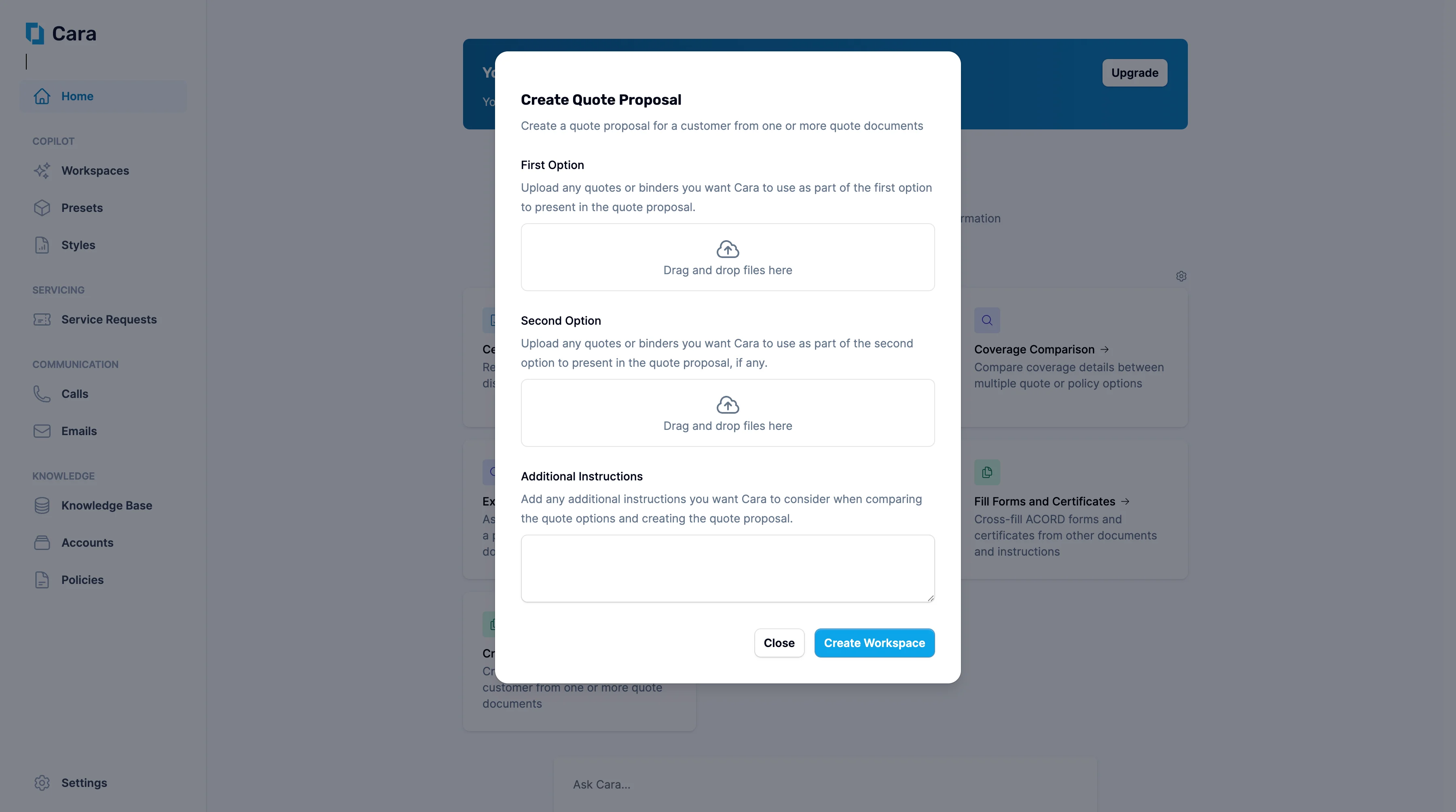 Start by uploading the quote(s) you'd like included in the proposal.
**Multi-quote logic:** Cara can present multiple quotes as options or combine them into a single recommended solution.
Use the **Additional Instructions** section to provide any additional information you want Cara to consider when comparing the quote options and creating the quote proposal—for example:
* “Make this suitable for a small business owner with no insurance background.”
* “Include a side-by-side comparison of options A and B.”
* “Summarise coverage inclusions and exclusions clearly.”
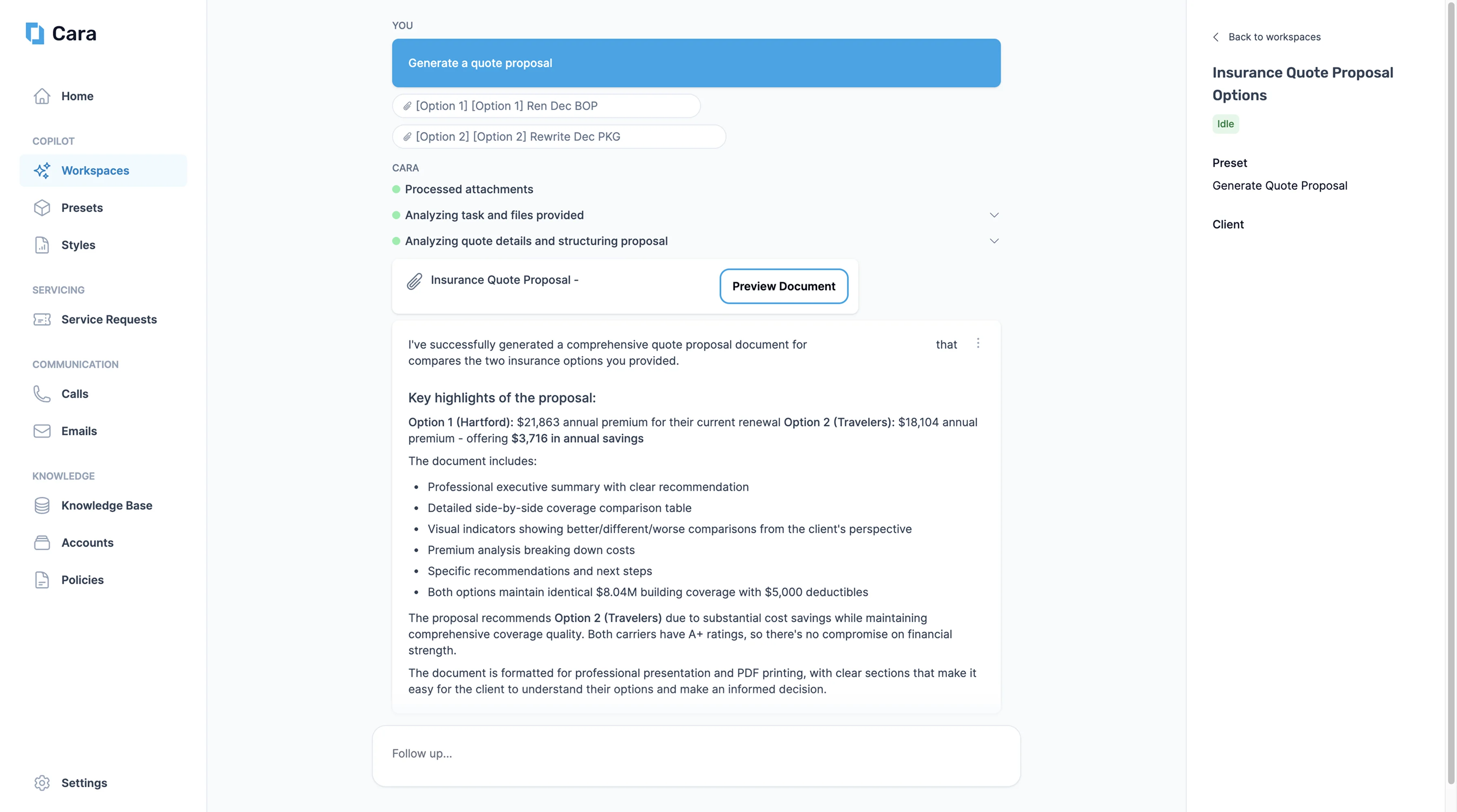
Once you click **Create Workspace**, Cara will generate a workspace containing:
* A formatted draft proposal designed for client presentation
* A breakdown of coverages, premiums, and key selling points
* Highlighted tradeoffs or optional enhancements, if multiple quotes are provided
Start by uploading the quote(s) you'd like included in the proposal.
**Multi-quote logic:** Cara can present multiple quotes as options or combine them into a single recommended solution.
Use the **Additional Instructions** section to provide any additional information you want Cara to consider when comparing the quote options and creating the quote proposal—for example:
* “Make this suitable for a small business owner with no insurance background.”
* “Include a side-by-side comparison of options A and B.”
* “Summarise coverage inclusions and exclusions clearly.”
Once you click **Create Workspace**, Cara will generate a workspace containing:
* A formatted draft proposal designed for client presentation
* A breakdown of coverages, premiums, and key selling points
* Highlighted tradeoffs or optional enhancements, if multiple quotes are provided
 Tailored to your style: Proposals can be framed formally or conversationally—just let Cara know. You can also edit the style of the document in [Styles](/copilot/styles), including adding your own styles.
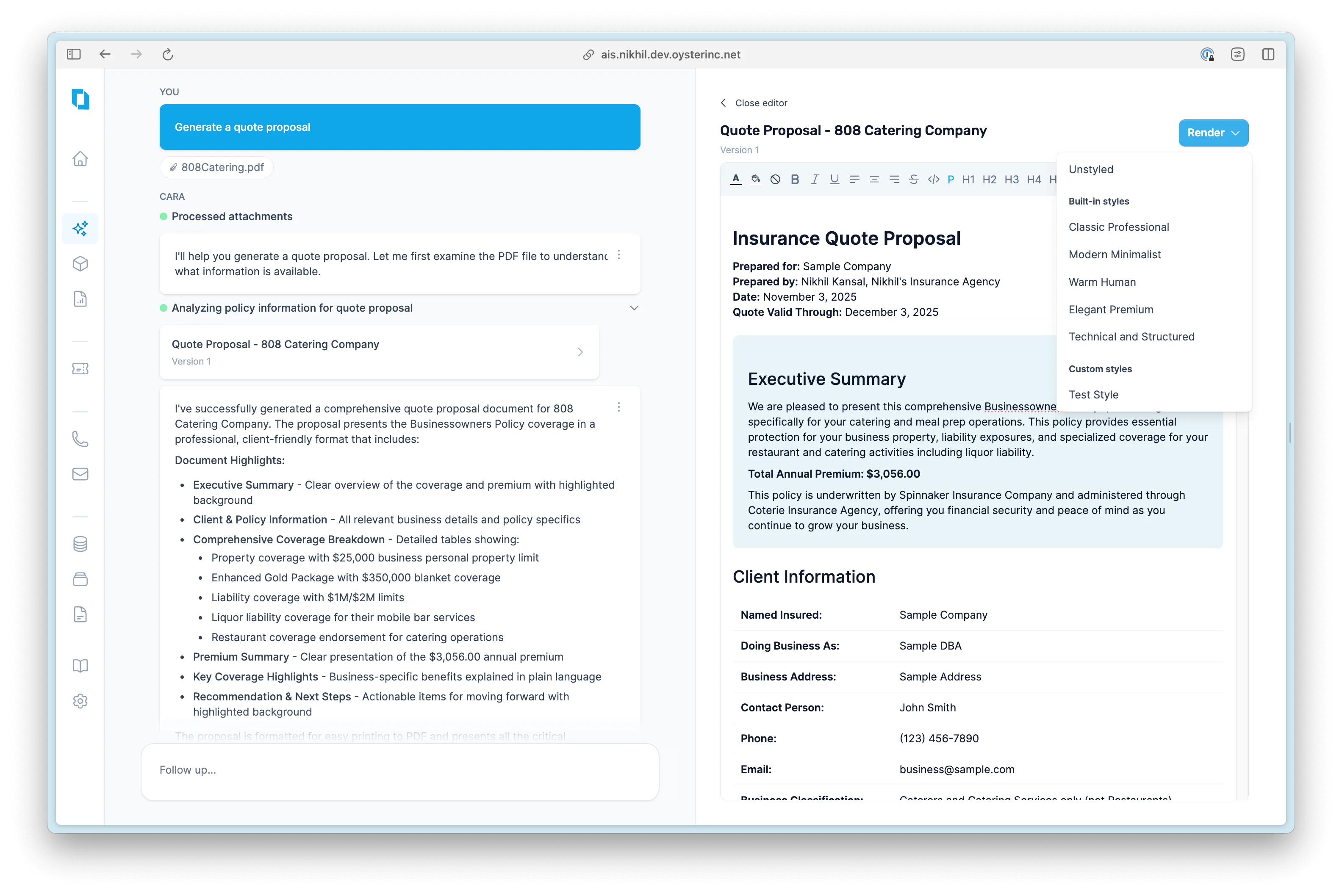 From here, you have several options, including:
* Edit the proposal
* Ask Cara to rephrase or restructure it
* Ask Cara to generate an email to send to the client
Final proposals are ready to copy into email, PDF, or your agency’s own templates
From here, you have several options, including:
* Edit the proposal
* Ask Cara to rephrase or restructure it
* Ask Cara to generate an email to send to the client
Final proposals are ready to copy into email, PDF, or your agency’s own templates