You’ll need three pieces of information from your AMS360 account to connect:
App Key — Your API application key
Agency Number — Your agency number in AMS360
App Access to Agency Key — Your app access key for agency authentication
Contact your AMS360 administrator or Vertafore representative if you don’t have these credentials.
2
Enter your credentials in Cara
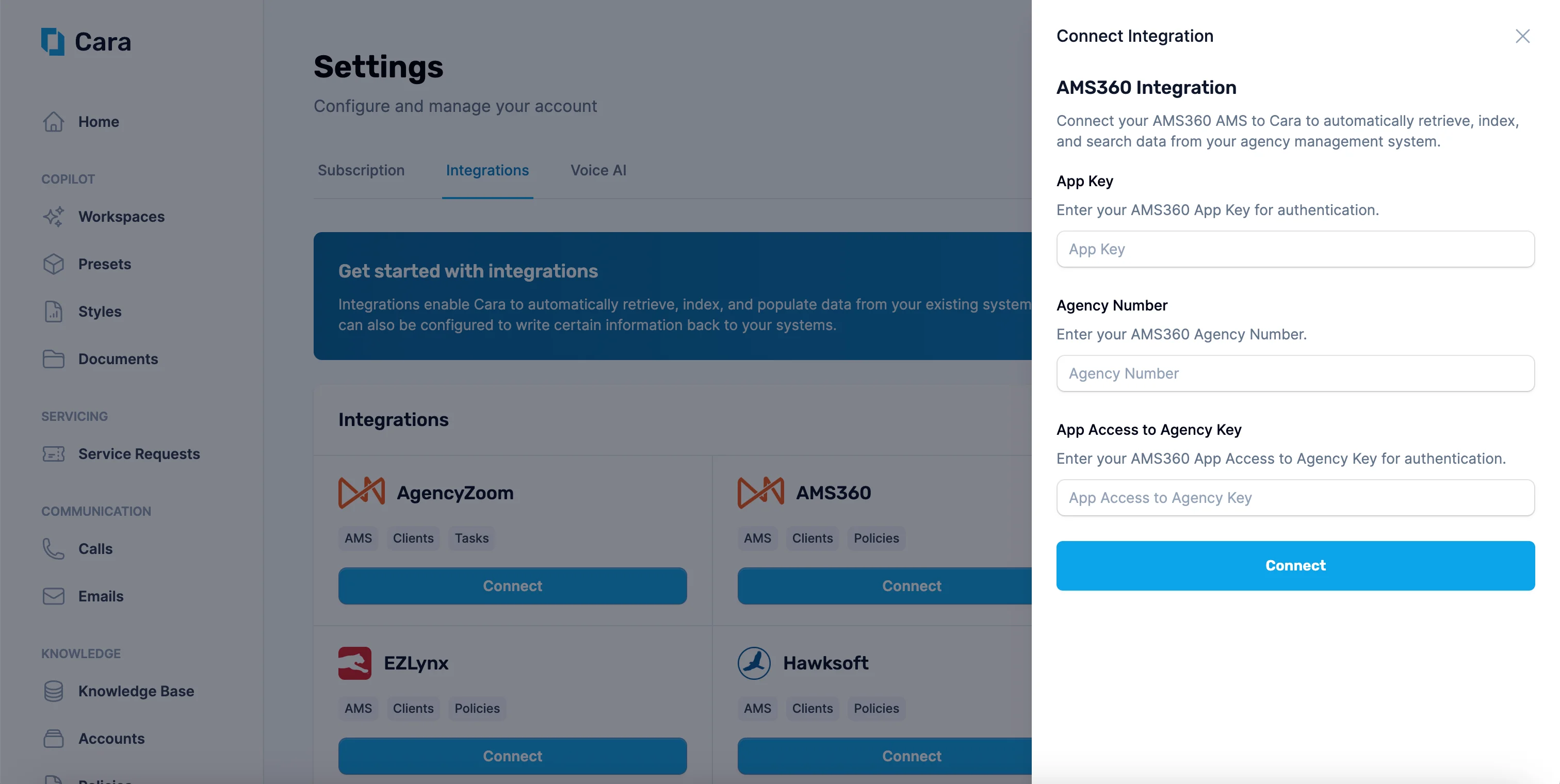
Navigate to the Integrations tab in Cara and click on the “Connect” button on the “AMS360” tile. Enter your App Key, Agency Number, and App Access to Agency Key, then click Connect.
Enter your AMS360 credentials to connect Cara
3
Verify your connection and sync
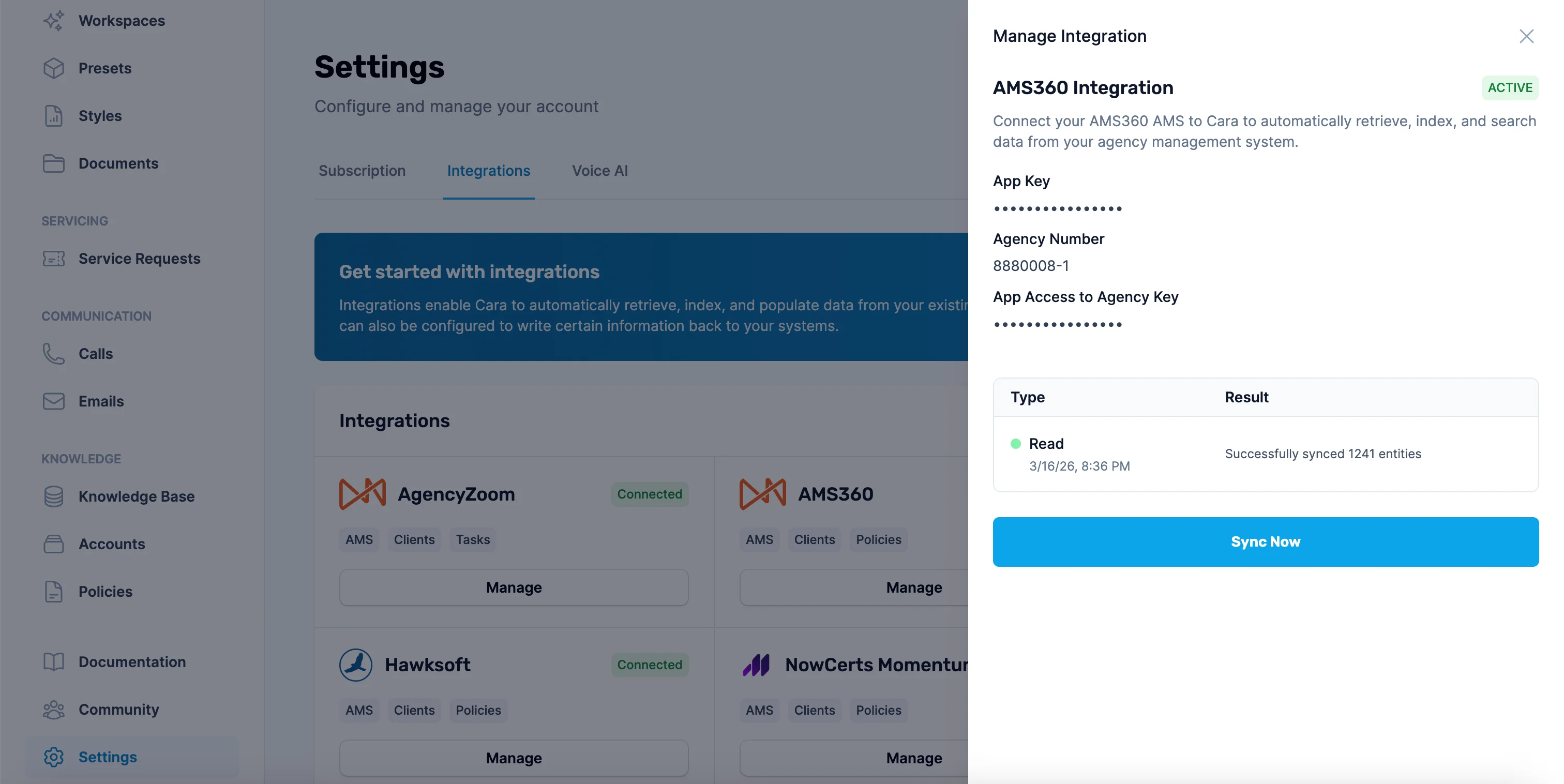
Once connected, Cara will automatically sync your AMS360 data every hour. You can also click the Sync Now button at any time to trigger a manual sync. The sync log shows the status and number of entities synced.
View sync status and trigger manual syncs with the Sync Now button
Cara can read from and write to AMS360 automatically or on-demand.Automatic actions
Customer lookup: References client information based on the caller’s phone number or email during Voice AI calls.
Call logging: Logs calls handled by Voice AI as activities in AMS360, including caller info, call summary, transcript, and recording URL.
Task creation: Creates suspenses from service requests generated by Voice AI calls or forwarded Email AI threads.
Manual / On-Demand actions
Search or summarize client information: Use Copilot or Email AI to look up client details, policy information, or activity history.
Write notes, tasks, or documents: Direct Cara to add activities, suspenses, or upload documents to a specific client account via Copilot or Email AI.
Create or update customers: Ask Cara to create new customer records or update existing ones in AMS360.
Cara identifies customers by email or phone number. It also searches attachments and provided content for contact details, though it’s best to include them directly in the request. If it can’t find or confirm the account, it will ask for more information.
Documents can include those created by Cara—such as coverage comparisons, ACORD forms, and COIs—as well as any other relevant files, like invoices, policy documents, or endorsement notices.
Example request: “Create a suspense for John Smith’s account to follow up on his renewal by next Friday.”
Cara can also log activities and add comments to existing activities.
These are just a few examples; there are many ways to use the integration within your agency workflow. For additional assistance, contact support@getcara.ai.