Determine the username and password you’d like to use to authorize Cara toread and write data to your AMS.
2
Enter your credentials in Cara
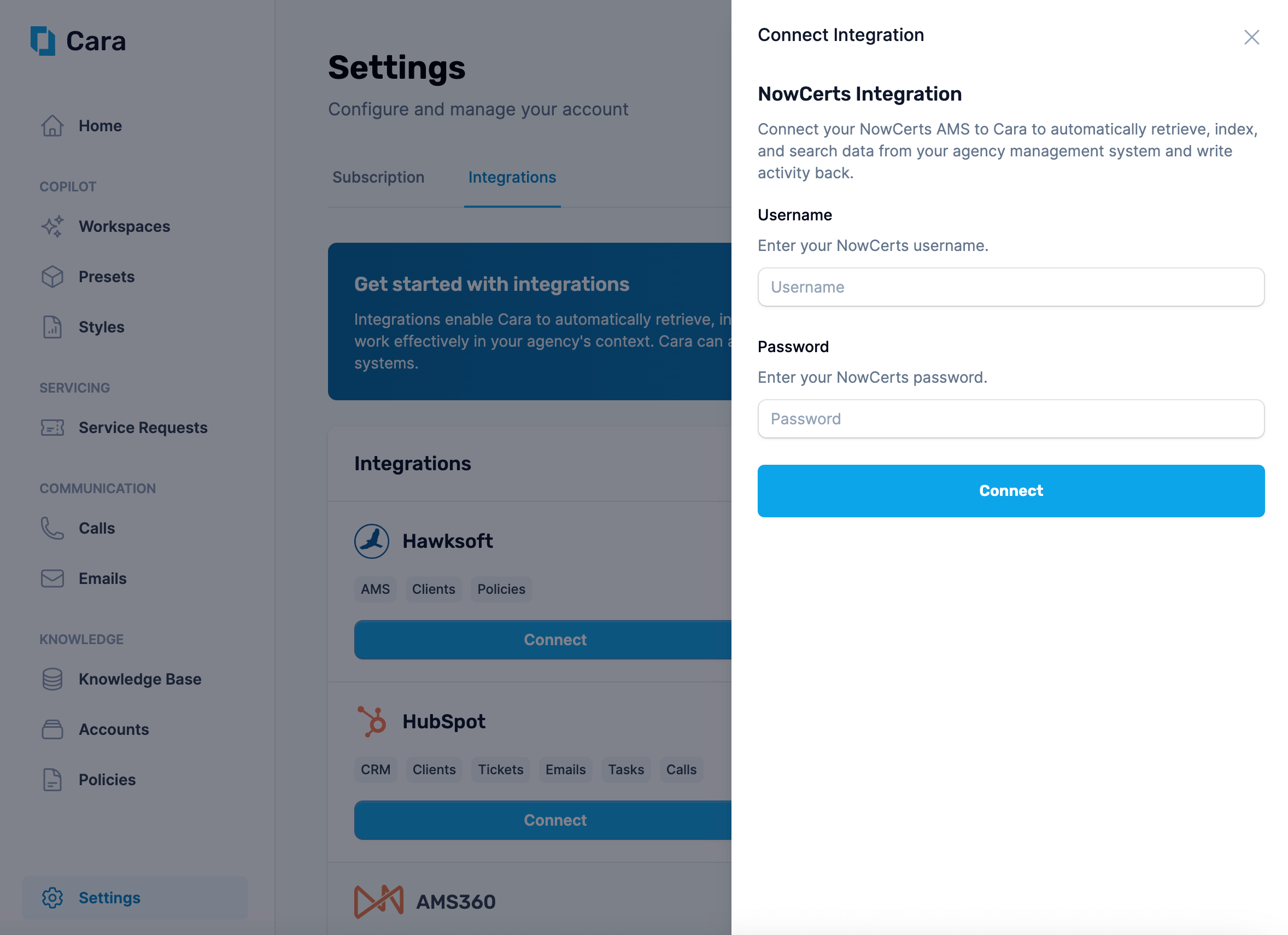
Navigate to the Integrations tab in Cara and click on the “Connect” button on the “NowCerts Momentum” tile. Enter your username and password here and click Connect.
Enter your agency credentials to connect Cara to Momentum
3
Choose your sync settings
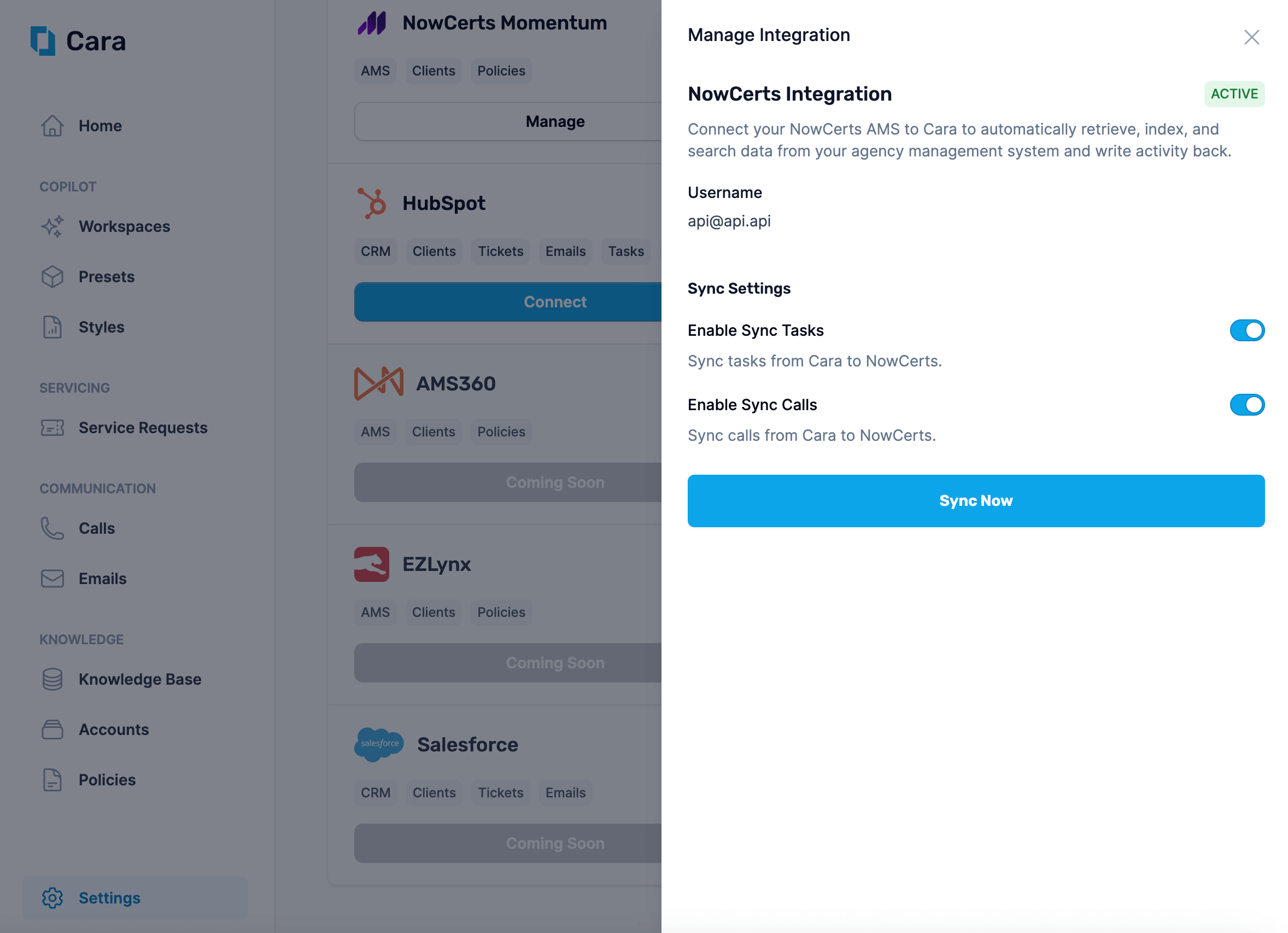
Cara will now automatically be able to read data from the integration. However, you must explicitly opt-in to have Cara write tasks and calls to your AMS. You can do this by toggling the switches on.
Enable syncing calls and tasks to NowCerts Momentum