The integration capabilities are determined by Hawksoft’s API endpoints.
Tasks, notes, calls, and documents can only be logged for existing client records. Cara cannot create new clients in Hawksoft. If a client does not exist, tasks will not be logged.
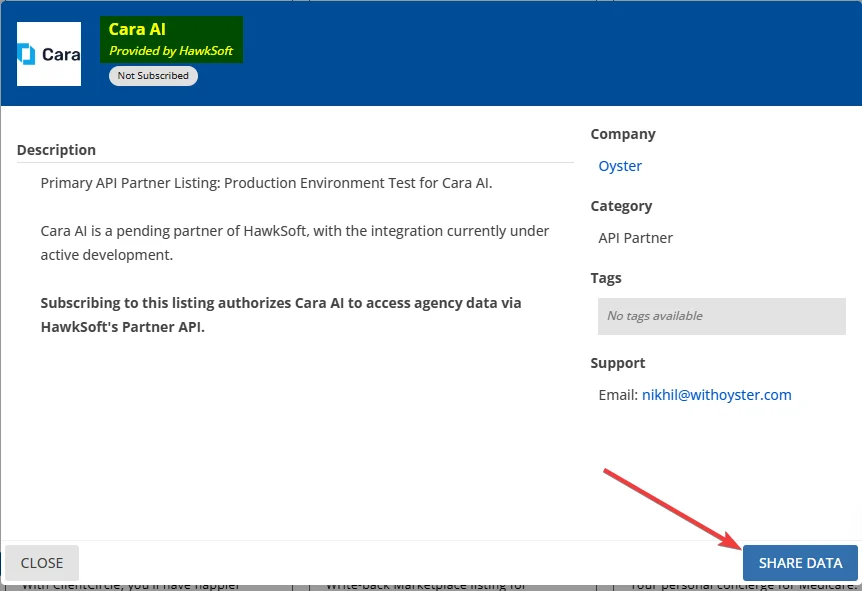
Navigate to the Cara AI entry in the Hawksoft Marketplace and click the Share Data button. This will allow Cara to read data for your agency.
Click 'Share Data' in the Hawksoft Marketplace to grant Cara access to your data
2
Enter your agency ID in Cara
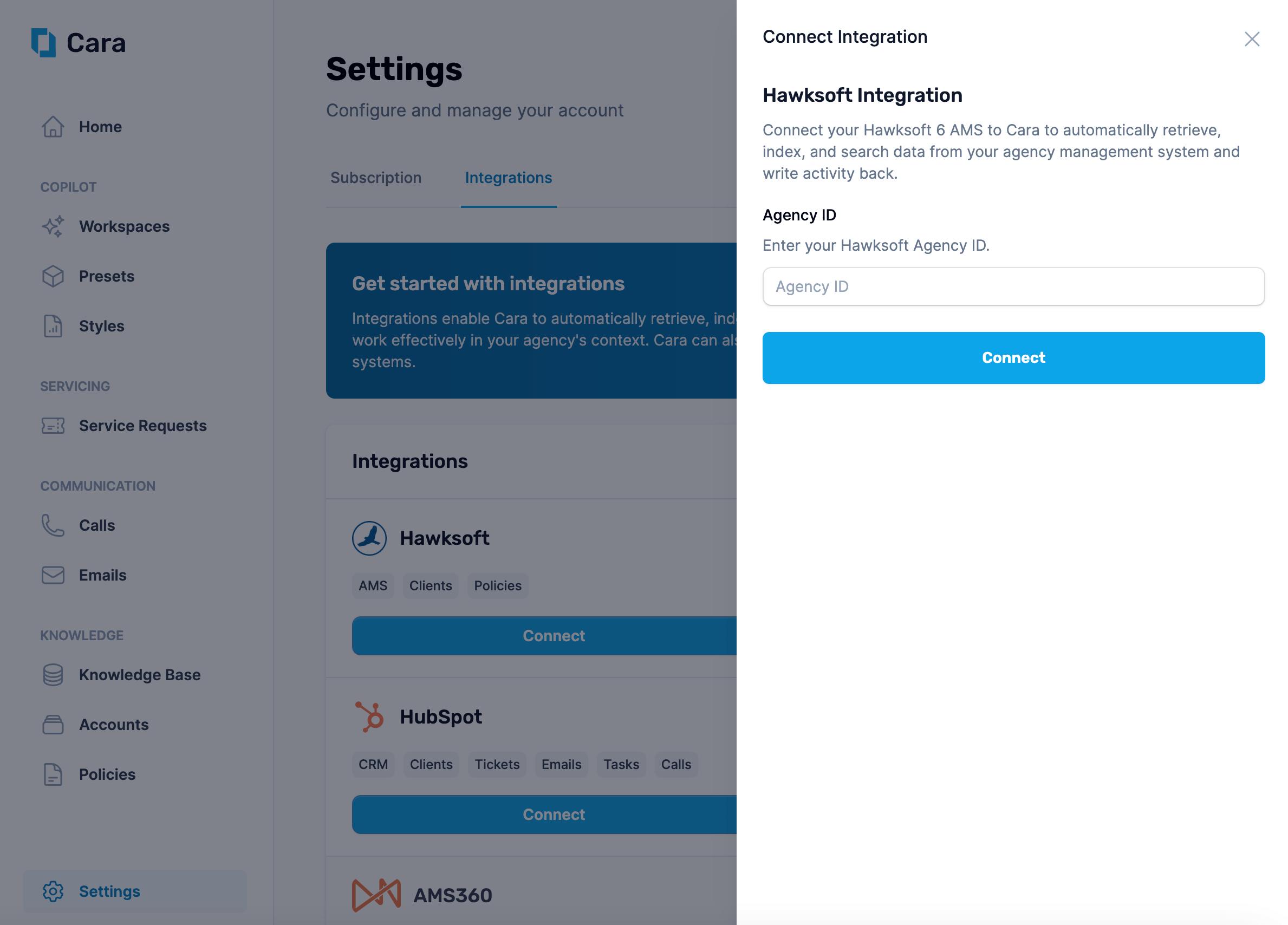
After you’ve granted access in the Hawksoft Marketplace, navigate back to the Integrations tab in Cara and click on the “Connect” button on the “Hawksoft” tile. Enter your Agency ID here and click Connect.
Enter your Agency ID to connect Cara to Hawksoft
3
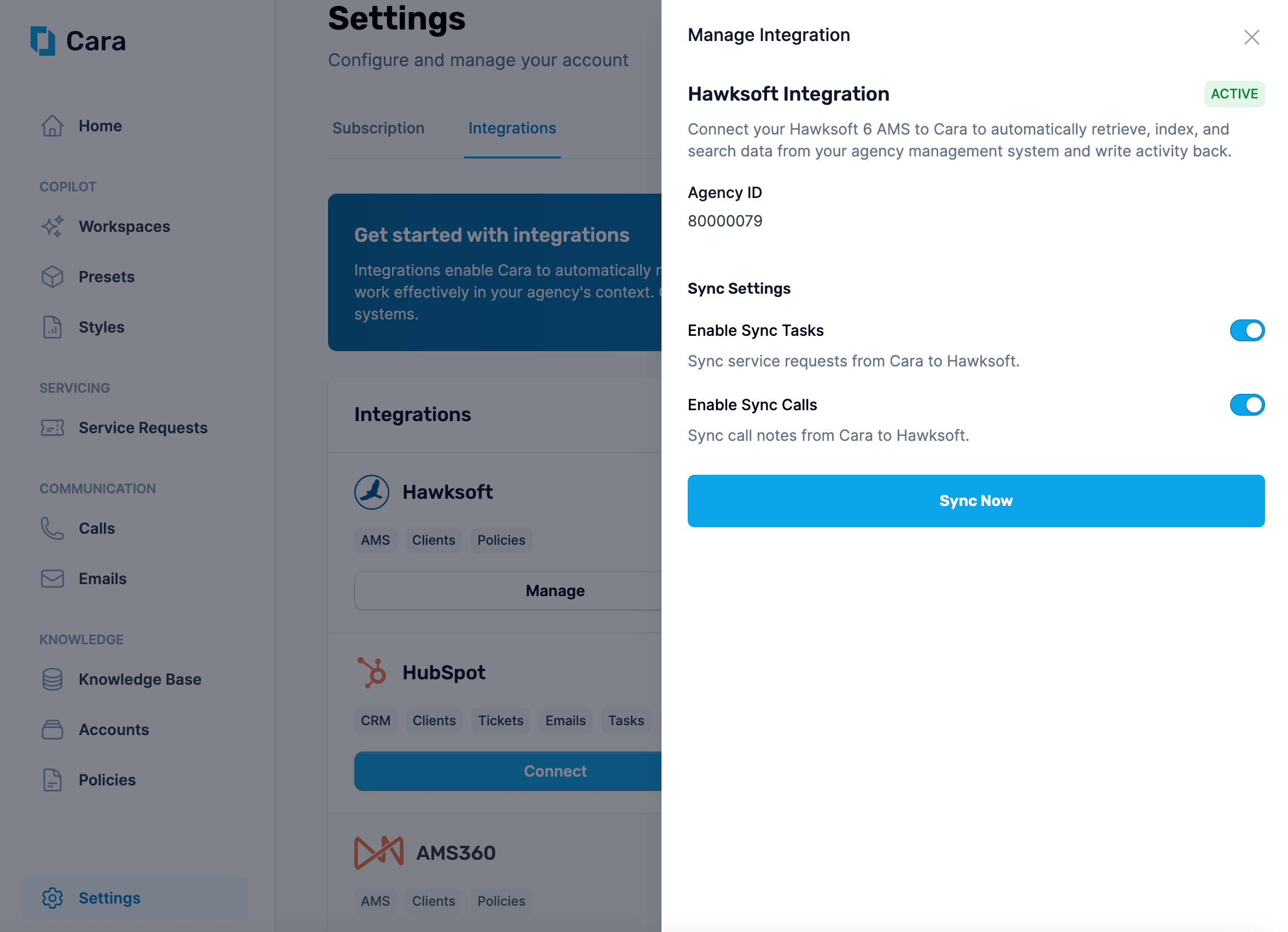
Choose your sync settings
Cara will now automatically be able to read data from the integration. However, you must explicitly opt-in to have Cara write tasks and calls to your AMS. You can do this by toggling the switches on.
Cara can read from and write to Hawksoft automatically or on-demand.Automatic actions
Customer lookup: References client information based on the caller’s phone number during Voice AI calls.
Call logging: Logs calls handled by Voice AI, including caller info, call summary, transcript, and recording URL.
Task creation: Generates tasks from service requests created by Voice AI calls or forwarded Email AI threads.
Manual / On-Demand actions
Search or summarize client information: Use Copilot or Email AI to look up client details when needed.
Write tasks, notes, or documents: Direct Cara to add items to a specific client account via Copilot or Email AI.
Cara identifies customers by email or phone number. She also searches attachments and provided content for contact details, though it’s best to include them directly in the request. If she can’t find or confirm the account, she will ask for more information.
Documents can include those created by Cara—such as coverage comparisons, ACORD forms, and COIs—as well as any other relevant files, like invoices, policy documents, or endorsement notices.
Example request: “Create a report for this client with active policies, pending tasks, and recent call summaries.”
Helpful for preparation for client meetings, renewals, or internal reviews.
These are just a few examples; there are many ways to use the integration within your agency workflow. For additional assistance, contact support@getcara.ai.