

How Service Tickets Are Created
Cara automatically creates and stores service tickets in the Service Requests section on your dashboard. Tickets are generated from three main sources:- Phone AI: After a customer call, Cara automatically analyzes the conversation. If follow-up is needed (e.g., a request for a new business quote), Cara captures all relevant information and creates a service ticket to track the request. (See Voice AI section for details.)
- Email AI: You can forward customer emails directly to Cara’s service email address. Cara automatically creates and tracks action items based on the thread. Cara will extract key details from the email and generates one or more service tickets for your team.
Client Portal (if enabled): If you use Cara’s white-labeled portal, any customer requests submitted there will automatically be converted into service tickets.
Service Dashboard
The Service Requests dashboard provides a clear overview of all tickets, displaying:- Customer Name
- Status (Open or Closed)
- Request Type
- Assignee
- Due Date
- Opened At timestamp
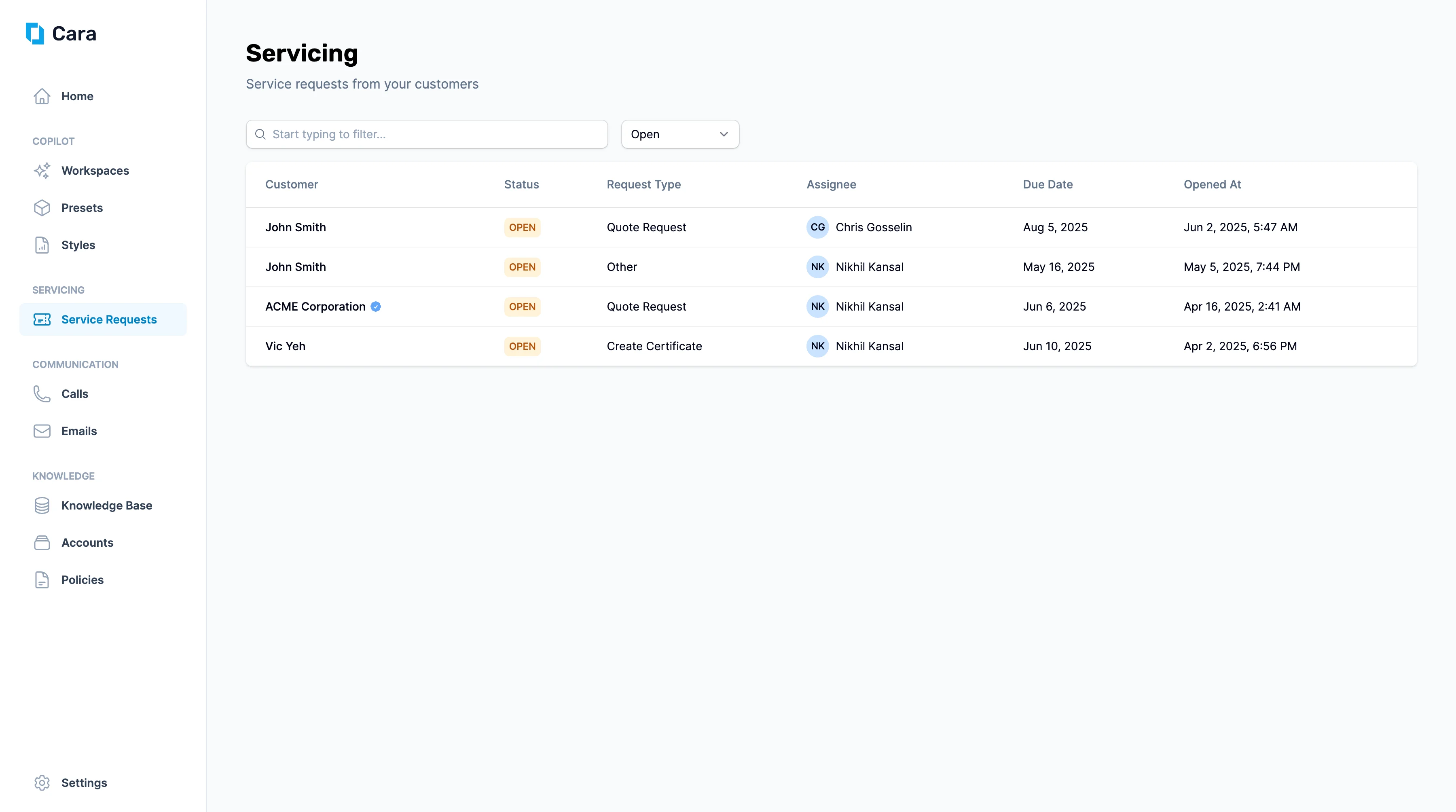
Service Dashboard
Viewing and Managing a Ticket
Click on any ticket to open a detailed view showing:- Request Overview: An AI-generated summary based on the ticket data, including extracted key details.
- Conversation Transcript: This could be a Voice AI transcript, forwarded email, or portal submission text related to the request.
- Comments and Activity: A collaborative space for your team to add notes, updates, or questions related to the ticket.
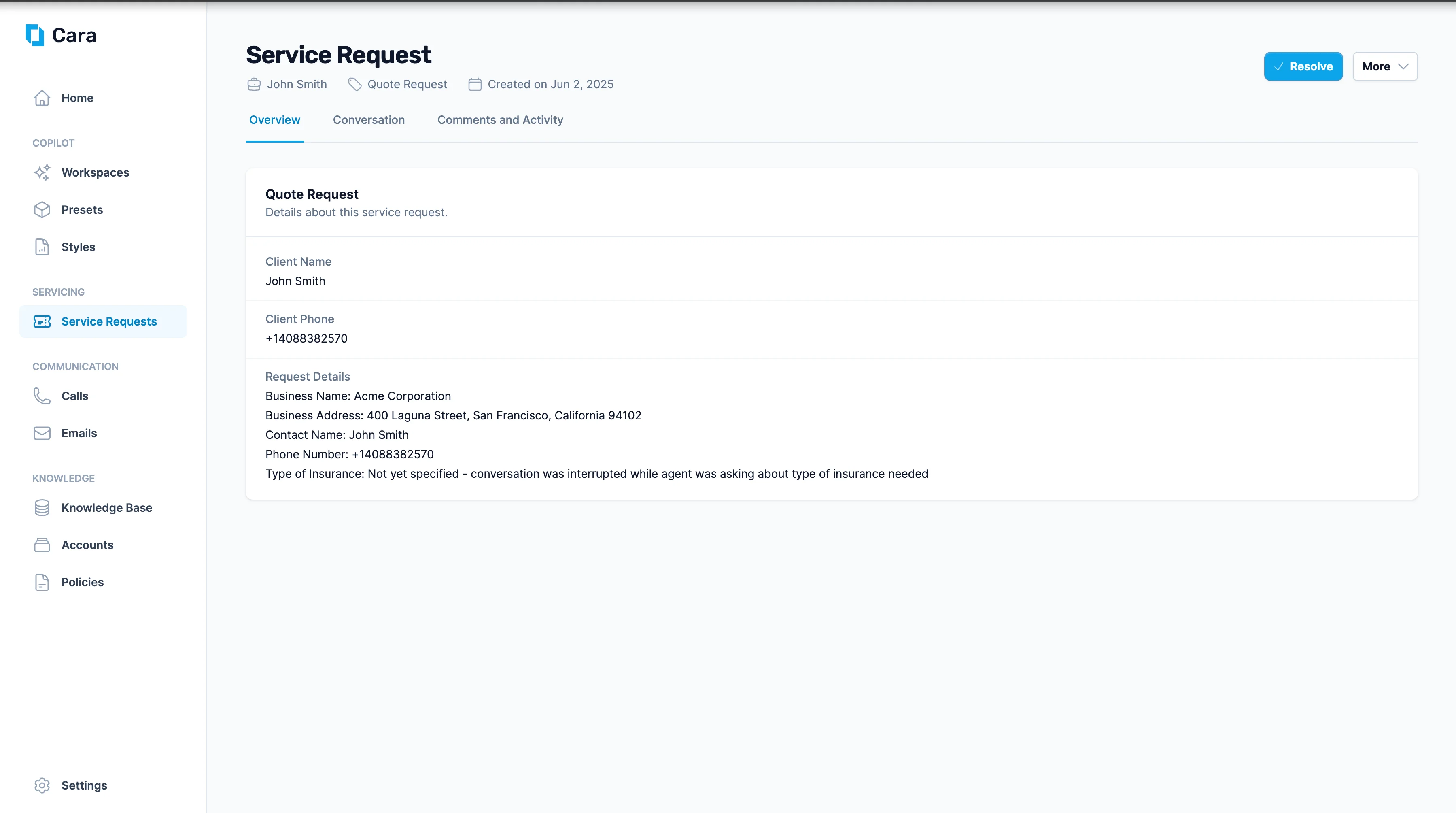
Service Ticket View
Completing and Updating Tickets
When a task is complete, use the Resolve button in the top-right corner of the ticket page. You’ll be prompted to add:- Final notes or comments
- Any supporting files
- Open in Copilot: Launches a dedicated Copilot workspace where Cara assists with the request using AI workflows.
- Update Request: Change the ticket’s assignee or due date, helping you delegate or reprioritize tasks.
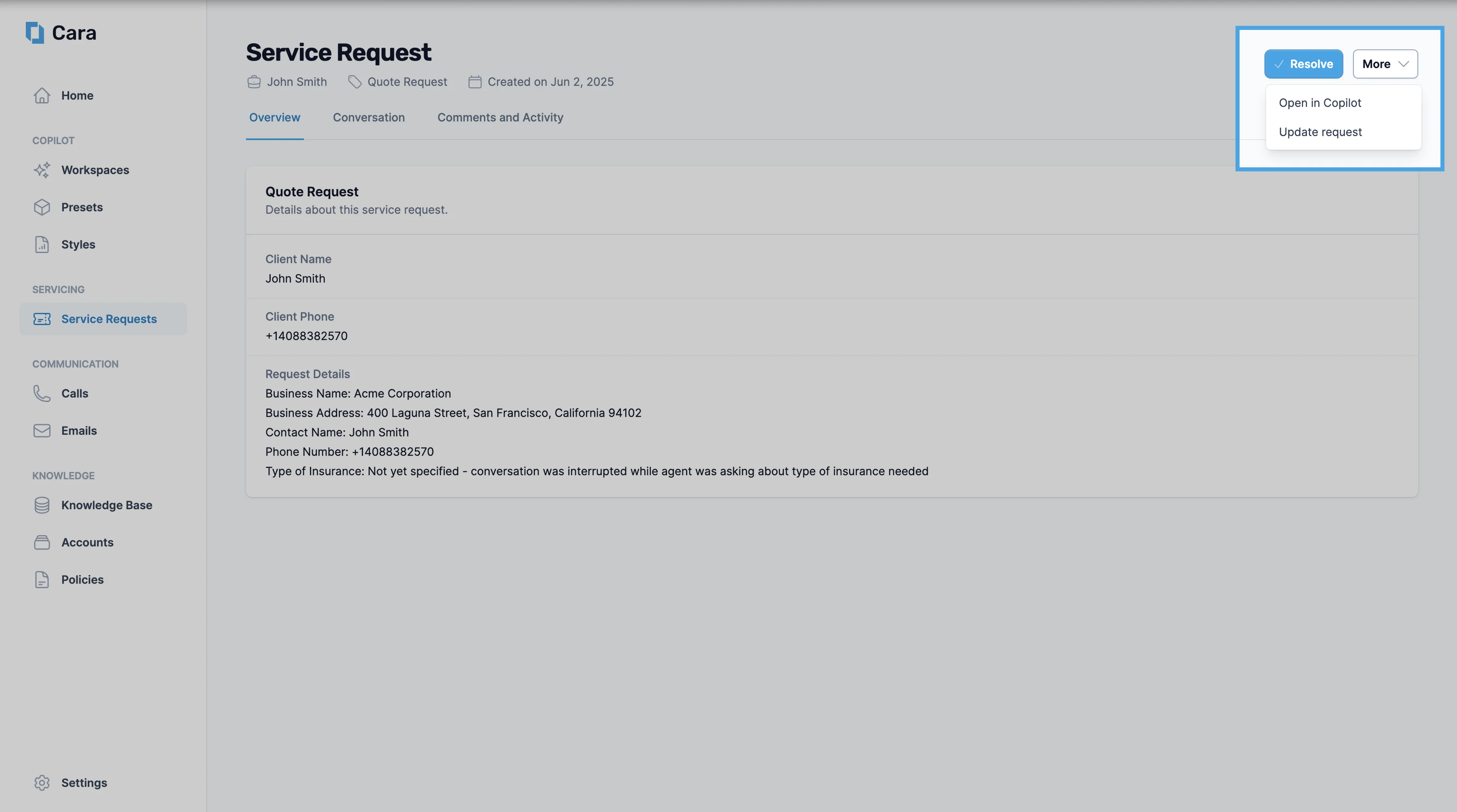
Open Service Ticket in Copilot
Taking Action with Copilot
Opening a ticket in Copilot enables you to use Cara’s AI capabilities directly, with context from the service ticket. For example:- Automatically fill out forms such as ACORD 125 and 126 for new business applications
- Review and analyze contracts or policy documents
- Draft professional emails or client communication
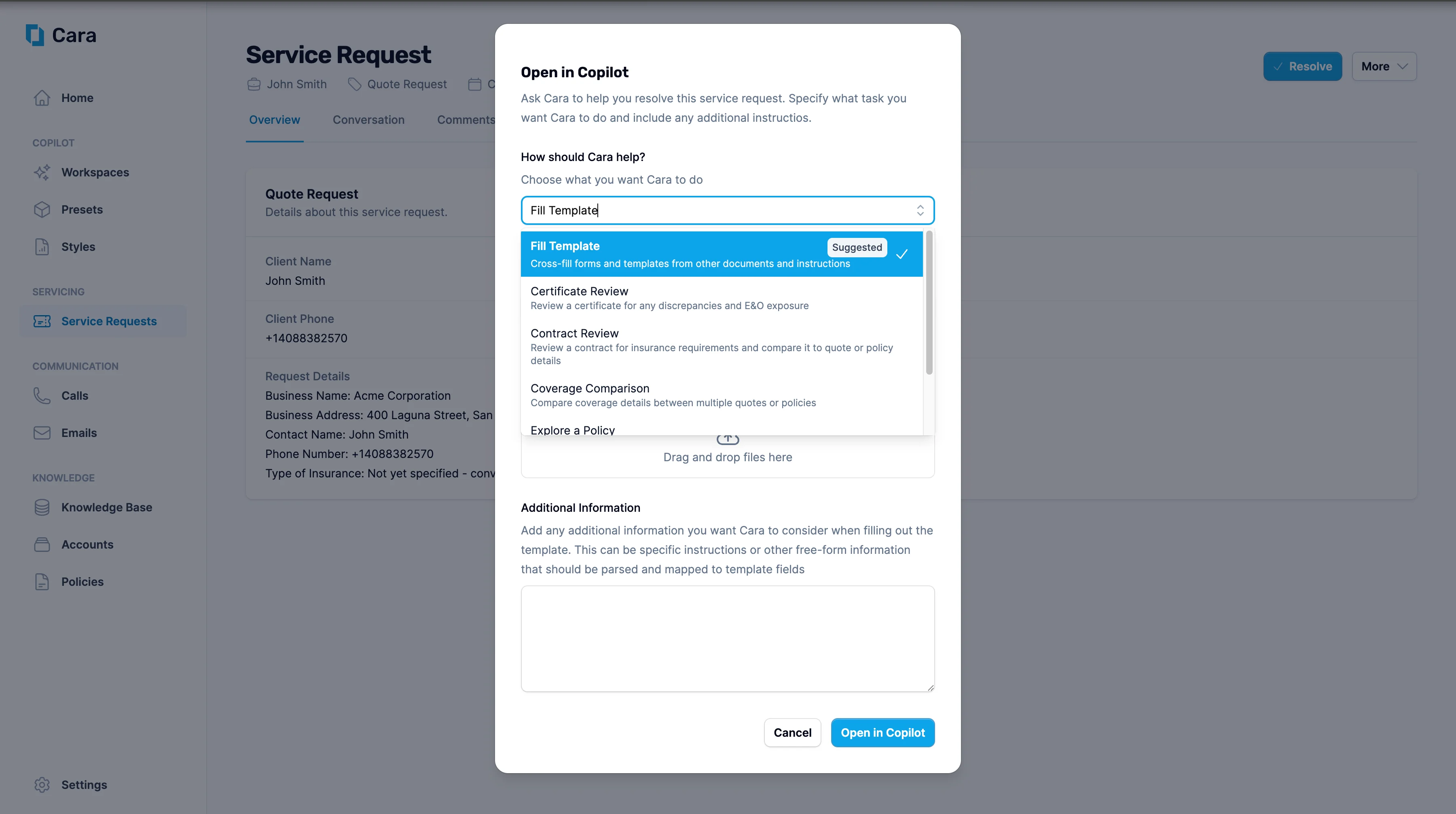
Service -> Copilot