CSV import-only modeEmail your EZLynx reports (applicants, policies, etc.) as CSV attachments to ezlynx@inbox.getcara.ai from an authorized agency email address. Cara will match the email to your agency, sync the data, and make it available for search, summaries, and automations.API modeWhen you add EZLynx credentials, Cara pulls richer details directly from EZLynx. You can still send CSV reports — Cara uses both together to keep your data as complete as possible.
If no EZLynx integration is found for your email address, or if sync is disabled, the CSVs will not be processed. Make sure the integration is set up and enabled first.
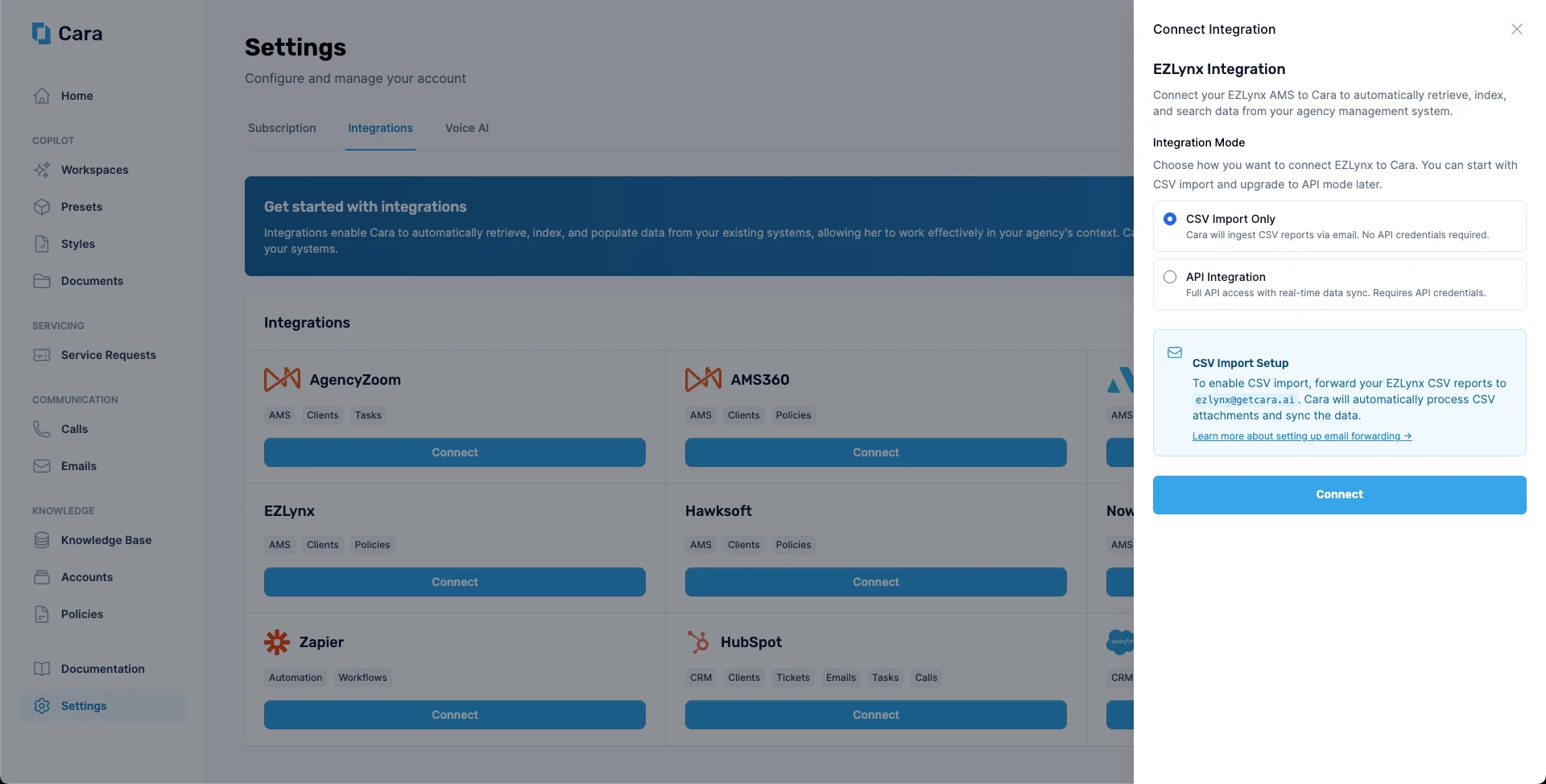
Navigate to the Integrations tab in Cara and click on the EZLynx tile. Select CSV import-only.
Select CSV import-only on the EZLynx tile
2
Confirm your sending email addresses
Work with the Cara team to confirm which email addresses will be used to send CSV reports from your agency. Cara matches incoming emails to your integration by sender address.
3
Send your first CSV reports
Generate your EZLynx reports as CSV files and email them as attachments to ezlynx@inbox.getcara.ai. Cara will sync the data automatically.
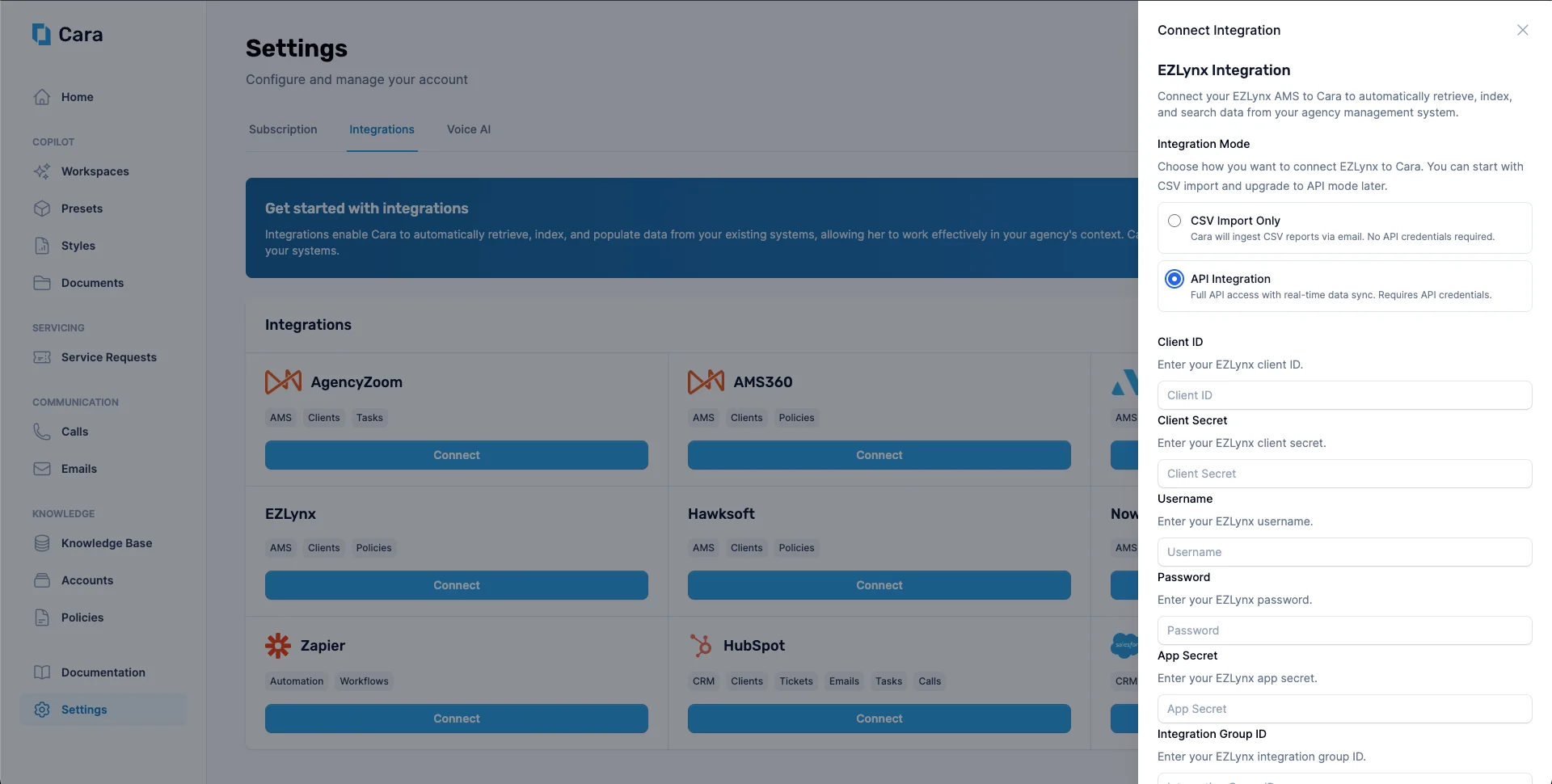
In the Integrations tab, click the EZLynx tile and select API mode. Enter your credentials and save.
Enter your EZLynx credentials to enable API mode
3
Keep CSV imports enabled (optional but recommended)
Even in API mode, you can continue sending CSV reports to ezlynx@inbox.getcara.ai. Cara will use them together with the API to keep your data up to date.
You can switch between modes at any time from the EZLynx integration settings in Cara.
Schedule periodic reports from EZLynx to be emailed automatically to ezlynx@inbox.getcara.ai (for example, nightly or weekly) so Cara always has fresh data.
Standardize your report templates in EZLynx so column names stay consistent across exports.