

Login
To get started:- Visit your Agency Portal: https://app.getcara.ai/app
- Enter your email address
- Input the 6-digit verification code from your email to log in
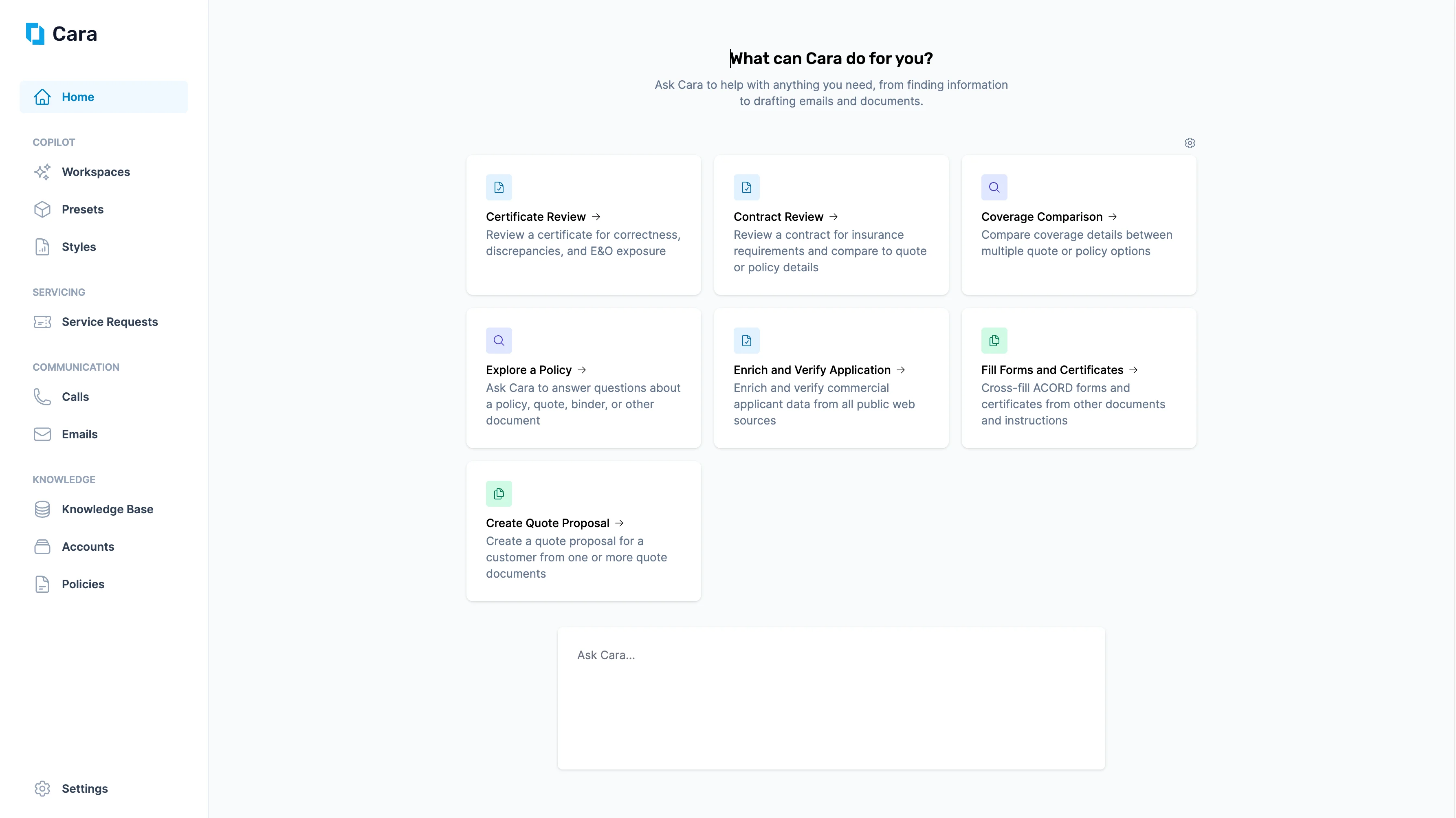
Cara Homepage
Get Started
From here, you have three main ways to get started:- Use the Left-Hand Navigation Sidebar. Navigate directly to one of Cara’s four core modules:
- Launch a Preset. The homepage also displays prebuilt Cara Presets. You can click into any Preset to start a new workspace.
- Ask Cara Directly. At the bottom of the page, you’ll see a free-text input bar. Let Cara help you search the web, draft emails, generate documents, or complete other tasks. Type a question or instruction, and Cara will respond in real time.