

How it works
Either using a Custom Preset or by Asking Cara Directly, you can ask Cara to generate a document. This can be done when creating the initial Copilot workspace or as a follow-up to an existing workspace.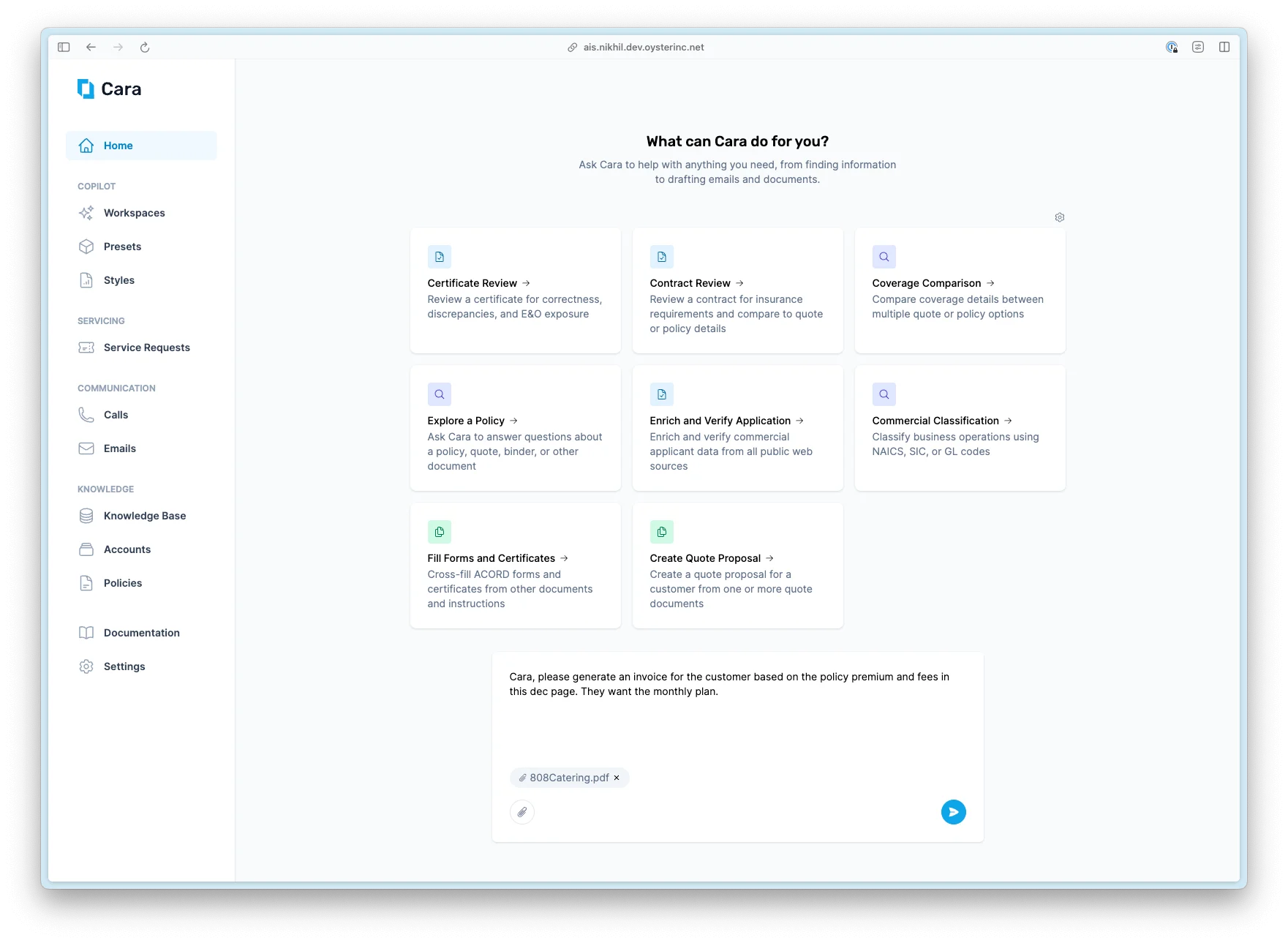
Ask Cara to generate a document
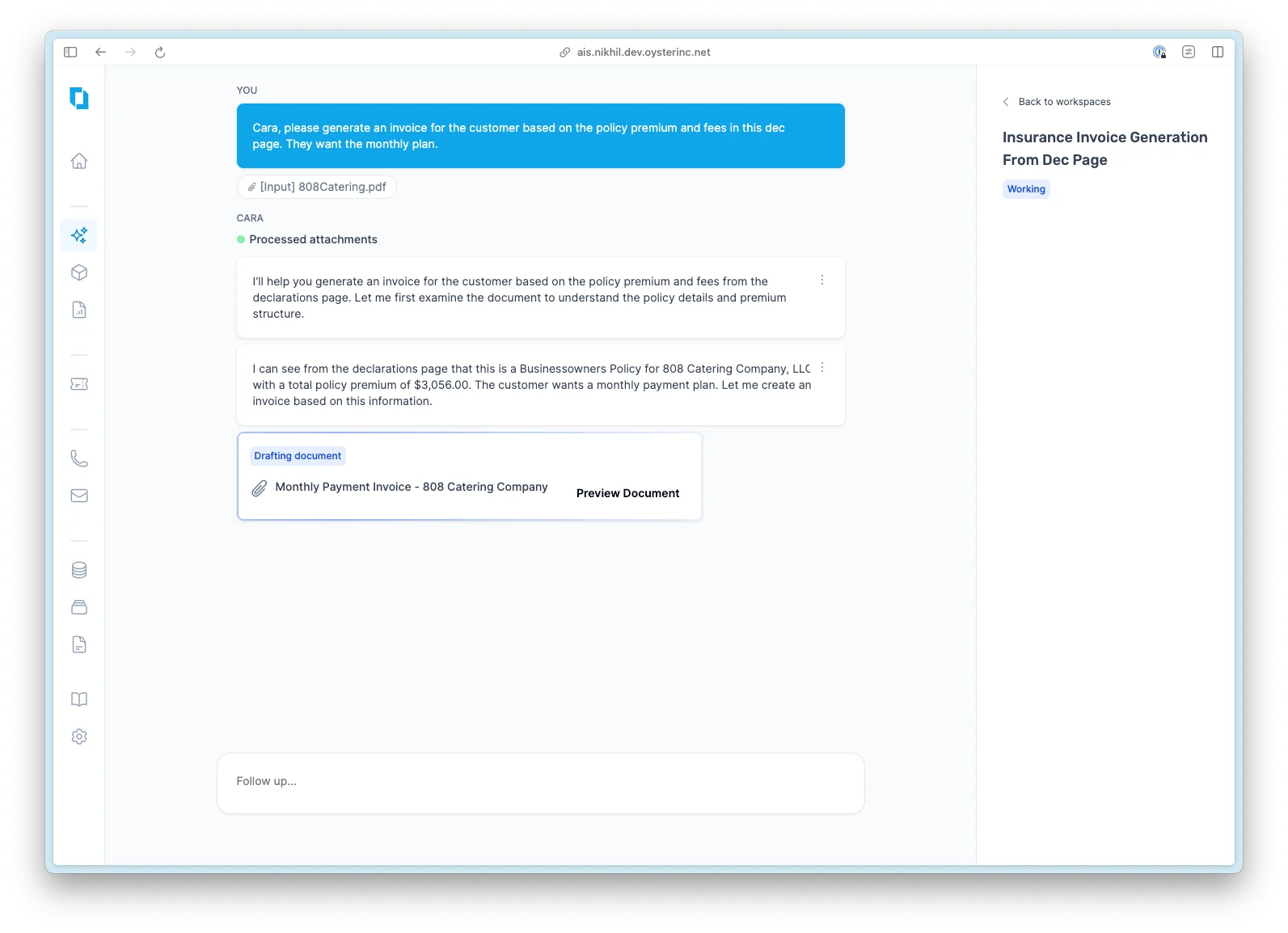
Cara starts drafting the document
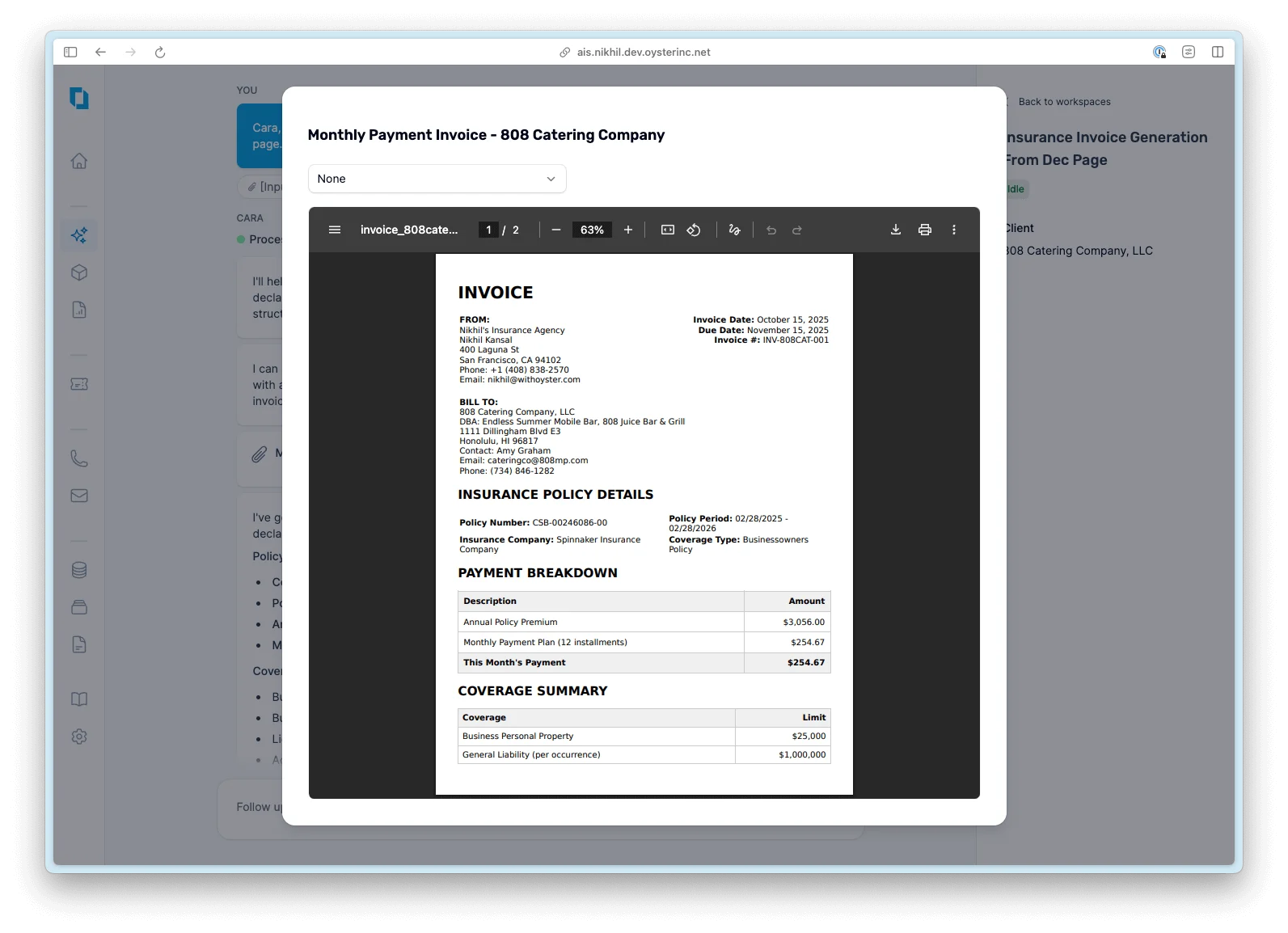
Preview the document Cara created and optionally select a style
Styled preview New
You no longer have to download a document to see how a style will render. Toggle Styled preview in the file editor to render the currently selected style inline — start pages, headers/footers, fonts, and colors all apply live. Flip between the raw content and the styled preview to iterate quickly before you commit.Append and prepend PDFs New
Any Cara-generated PDF can be extended ad-hoc without a second workspace:- Prepend a cover letter, branded title page, or executive summary
- Append a signed exhibit, a static disclosure page, or supporting documents
Append/prepend accepts existing PDFs as-is. If you want the extra pages to inherit the document’s style, save them to a Template instead.
Asking Cara to modify the document
After Cara has completed the document, you can follow up in the workspace with any modifications you’d like. Cara will then create a new version of that document. Cara can change almost anything about the document. Here are some prompt examples of how you can follow up with Cara:- “Rephrase the executive summary section to be more concise and focus on the critical exclusions”
- “Insert a page break after the coverages summary so that the next content appears on its own page”
- “Put the coverage limits information into a table instead of as bullet points”
- “Make the table headers a dark blue with white text, and have the rows alternate between light blue and white background colors”
- Give Cara an attachment and say “Visually inspect the attached document and update the PDF you generated to reflect these styles”
Get Cara to generate the same document repeatedly
If you find yourself generating the same kind of document over and over again and would like Cara to remember how to generate it with specific content, structure, or style, the best way to do this is a combination of Styles and Custom Presets:- If you would like Cara to always include certain starting and ending pages, you should create a custom style and select that style when previewing the generated PDF.
- If you would like Cara to always produce the content, structure, and style of the document in the same way, you can create a custom preset with the following specifications:
- Ensure you attach a reference document to the custom preset
- In the base prompt, ensure you include instructions on how you want Cara to write and style the document. For example, if you want her to follow the style and structure of the attached document, you can prompt: “In order to produce your final output, visually inspect the attached document for the specific language, layout, format, style, and colors used. Make sure to exactly reflect these in the final document you produce”