

How it works
Certificate Review
1
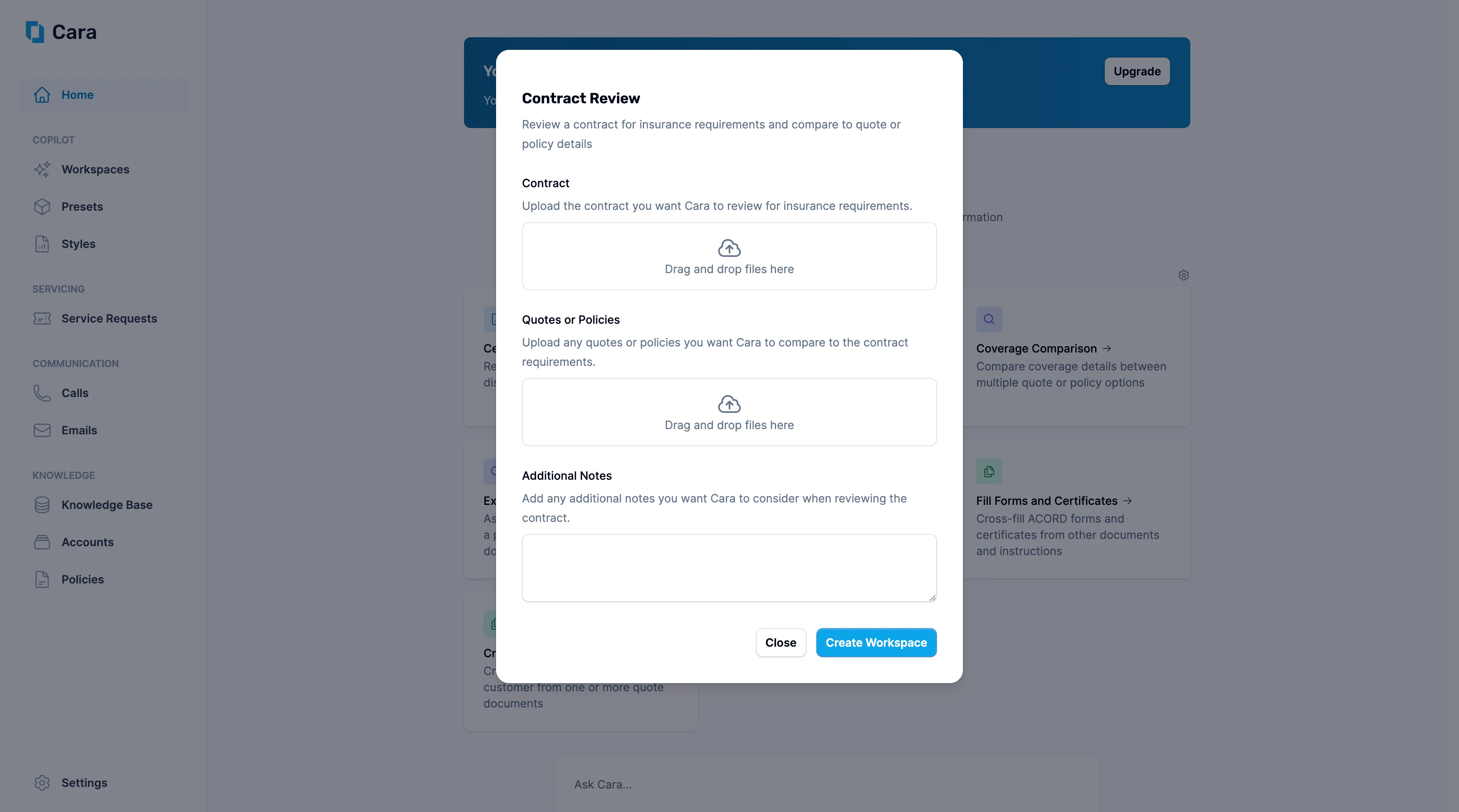
Upload documents
- Upload the contract you want Cara to review for insurance requirements in the first section.
- Upload any related quotes or policies in the second section—this allows Cara to compare the contract’s insurance requirements against your proposed or existing coverage.
2
Add Additional Notes
Use the Additional Notes section to highlight specific areas of concern, such as “Focus on indemnification clauses” or “Check if cyber liability requirements are met by current policy.”
3
Click 'Create Workspace'
Once you click Create Workspace, Cara will generate a detailed analysis showing:
- Insurance requirements extraction: Clear summary of all insurance obligations specified in the contract
- Coverage gap analysis: Identification of areas where current quotes/policies don’t meet contract requirements
- Limit comparisons: Verification that policy limits satisfy contract minimums
- Endorsement requirements: Specific additional insured, waiver of subrogation, or other endorsements needed