

How it works
Underwriting Analysis
1
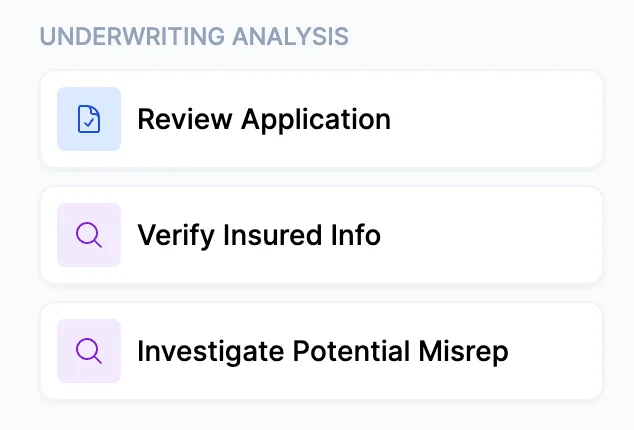
Select a use case
Choose the workflow that fits your situation:
- Review Application — A full audit of the submitted application against external data sources
- Verify Insured Info — Focused verification of key insured details, operations, and public record
- Investigate Misrepresentation — Targeted investigation when you have a specific concern about accuracy or disclosure
All three use cases run the same underlying analysis. The labels are provided to help you match the workflow to the context you’re working in.
2
Select lines of business
Choose which lines of business to include in the audit. Business Operations / GL is always included. Check the additional boxes to add:
- Property — Adds building construction verification, replacement cost benchmarking, occupancy confirmation, prior property losses, and flood and seismic zone checks
- Workers Compensation — Adds NCCI class code verification, payroll and employee count benchmarking, experience modification factor review, and workplace safety and OSHA history
- Commercial Auto — Adds vehicle use verification, driver qualification checks, garaging location and territory review, and fleet disclosure analysis
3
Upload application documents
Upload the application, financial statements, loss runs, and any other documents the insured submitted. The more complete the file, the more thorough the audit.
4
Review findings
The output has two sections:Critical Issues Summary — A priority-coded table of all significant findings:
- 🔴 High — Significant discrepancy or gap requiring investigation; additional documentation likely needed
- ⚠️ Warning — Potential concern; request clarification before proceeding
- ✅ Clear — No concerns identified
Every verification attempt is documented with its source — the exact search query or URL used. You can reproduce or expand on any finding directly.
5
Next steps
From here, you can:
- Request additional documentation from the insured to resolve flagged discrepancies
- Adjust the submission before going to market based on what the audit surfaced
- Run Risk Matching to identify the right carriers once the application is verified
- Run Loss Run Analysis to contextualize the claims history alongside the verified risk profile
What Cara always audits
Regardless of which additional lines are selected, every Underwriting Analysis includes a full Business Operations / GL audit covering nine fields:- Business operations and class code — verified against the company website and ISO/NAICS descriptions
- Revenue and employee count — benchmarked against industry norms and cross-referenced across documents
- Prior liability claims — loss run analysis plus web search for lawsuits, news, and undisclosed incidents
- Products and services — full website review including e-commerce listings and brochures, compared to the application
- Years in business and experience — business registration date cross-referenced against stated start date and principal backgrounds
- Business ownership and related entities — every business connected to the owners is identified and classified; undisclosed related entities with high liability exposure are flagged
- Subcontractor exposure — 1099 workforce compared against employee payroll and certificate requirements
- Social media and review sites — reviewed for operational hazard signals (injuries, product defects, safety incidents), not customer satisfaction
- Business address — verified through at least three independent sources
Tips for best results
- The more lines you select, the longer the run — but the more complete the picture. For a complex commercial submission with multiple exposures, auditing all relevant lines before going to market is worth the additional time.
- The cross-entity ownership audit always runs. Even if nothing unusual is found, every business connected to the owners is identified and classified. Undisclosed related entities with high liability exposure are something carriers actively look for.
- Revenue per employee benchmarks are industry-specific. Service businesses, retail, and manufacturing are each benchmarked differently. A figure outside 50% of the industry norm is flagged automatically.