

How it works
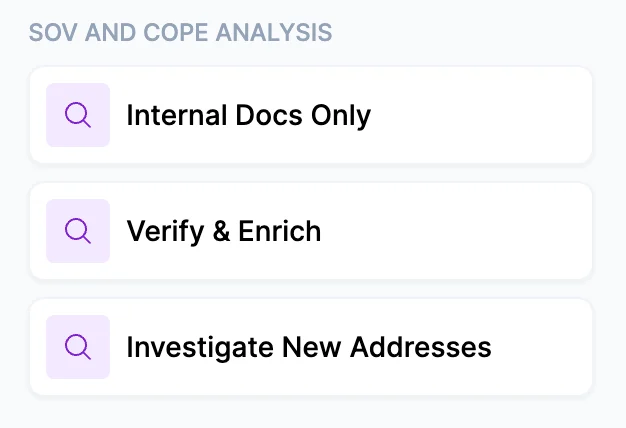
SOV & COPE Analysis
1
Select a use case
Choose the use case that matches your starting point:
- Internal Docs Only — Cara reads, organizes, and normalizes the data in your uploaded documents without running any web searches. Fast and useful for cleaning up or standardizing an existing SOV.
- Verify & Enrich — Uses your documents as the baseline, then goes to the web to verify and fill gaps in the COPE data. Cara cross-checks addresses against public property records, confirms construction details, and looks up fire station distances, flood zones, and ISO PPC ratings.
- Investigate New Addresses — For when you only have addresses and need to build the COPE data from scratch. Provide the addresses in the notes field and Cara researches them.
2
Upload documents
Upload any documents you have — existing SOV spreadsheets, property schedules, dec pages, appraisals, or lease lists. For Investigate New Addresses, documents are optional; just paste the addresses in the notes field.
If your documents and public records conflict on a data point — for example, different year-built dates — Cara will note both and flag the discrepancy rather than silently choosing one.
3
Add notes
Use the notes field to add specific addresses to research or provide context about the property or portfolio. For Investigate New Addresses, this is where you paste the addresses you want Cara to research.
4
Configure output format
Output as Excel produces a multi-tab spreadsheet with an Overview tab (one row per building or address with all COPE data) and five additional tabs — one each for Construction, Occupancy, Protection, Exposure, and Valuation. This format is ready to attach directly to a submission.Leaving this unchecked produces a Markdown table output in the conversation, which is faster and includes inline confidence citations.
5
Review findings
The output begins with an overall data completeness indicator — ✅ Complete, ⚠️ Partial, or ❌ Limited — so you know immediately how much of the property data was verified.For each property, Cara gathers:
- Construction — Type, year built, exterior material, square footage, stories, foundation, roof type, interior finishes, HVAC type and age, electrical type
- Occupancy — Occupancy type, tenant roll with risk indicators for high-risk tenants (restaurants, cannabis dispensaries, auto repair, hazardous materials storage)
- Protection — PPC/ISO rating, fire station name and distance, sprinkler system, smoke detectors, security system
- Exposure — Flood zone designation, lot size, zoning, water and sewer
- Valuation — Current market or assessed value
Uncertain data is left blank rather than estimated. Any field Cara couldn’t verify is flagged with an explanation. You won’t receive confident-looking data that isn’t actually confirmed.
6
Next steps
From here, you can:
- Ask Cara follow-up questions about specific properties or data points
- Request additional research on flagged addresses or tenant occupancies
- Attach the Excel output directly to a submission
- Run Risk Matching to find the right carriers for the property portfolio
Tips for best results
- Address-only mode requires no documents at all. If you receive a portfolio of properties from a prospective client and only have a spreadsheet of addresses, use Investigate New Addresses and paste them in the notes field.
- The tenant roll matters for underwriting. Restaurants with commercial cooking, cannabis dispensaries, auto repair shops, hazardous materials storage, and other high risk tenants are identified as high-risk occupancies. Cara flags these with a risk indicator — if one is present in a mixed-use building, it changes the underwriting profile.
- Cara maps the property structure before researching individual units. She identifies how many buildings exist, whether any are connected, and what the overall square footage represents — then searches for units systematically to make sure nothing is missed.
- The Excel option takes meaningfully longer to generate. If you’re reviewing internally or need a quick answer, the Markdown output is the faster choice.