

How it works
Risk Report
1
Select a use case
Choose the use case that fits what you need:
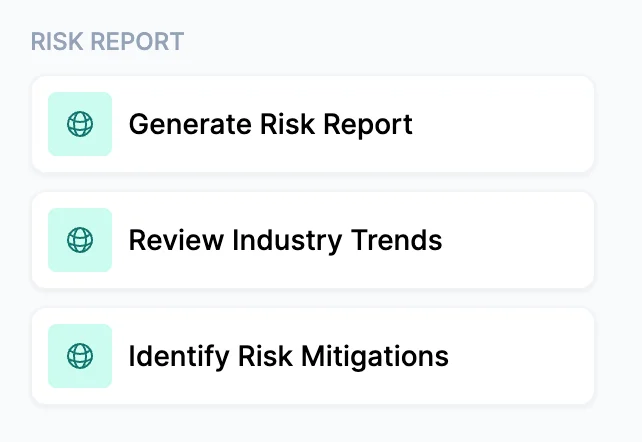
- Generate Risk Report — The full report: industry risk landscape, regulatory and compliance requirements, a business profile based on public records research, risk mitigation recommendations, and emerging risks and trends.
- Review Industry Trends — A focused, forward-looking report covering industry trends, regulatory changes, and emerging risks only. No company profile research is conducted. Useful when you want to send something timely and relevant without doing a full client review.
- Identify Risk Mitigations — Emphasizes the risk mitigation section. Best used when a client has asked for a risk management review and you want the output oriented around concrete next steps they can take.
2
Upload documents or describe the client
Optionally upload documents that describe the client — policies, applications, or dec pages. If you don’t have documents, simply describe the client in the notes field: their business name, type, state, and industry is enough for Cara to produce a complete report.
3
Configure output format
Output as PDF Report is enabled by default. This produces a polished, print-ready document with a branded cover page, table of contents, formatted tables, risk badges, and callout boxes — ready to send to the client without any reformatting.Unchecking this option produces Markdown output directly in the conversation, which is faster but not client-presentable as-is.
The PDF includes your agency name on the cover page. Make sure your agency profile is up to date in your account settings before generating client-facing reports.
4
Review the report
For the Full Risk Report, the output includes:
- Executive Summary — A 2–3 sentence risk posture overview with 4–6 priority-coded bullets and a summary table
- Industry Risk Landscape — The industry’s risk environment with a risk area table covering priority, drivers, and trend direction. The most significant finding appears in a callout box.
- Regulatory and Compliance Requirements — Federal, state, and local requirements organized by level, written as “here’s what to maintain” rather than as a compliance warning
- Business Profile — Safety and regulatory history, news and public record findings, and business standing — each rated. Clean records are noted as confirming responsible operations.
- Risk Mitigation Recommendations — Up to 10 recommendations organized by risk level (High, Moderate, Best Practices), each with a specific first action the client can take within a week
- Emerging Risks and Trends — What’s changing over the next 1–3 years, with the most urgent emerging risk called out and 2–3 actions the client should take now
If Cara finds an actual OSHA citation, lawsuit, or regulatory enforcement action for the business during research, it will appear as a named High item with specific remediation steps. This section is populated only from verified findings.
5
Next steps
From here, you can:
- Send the PDF directly to the client as a value-add ahead of renewal
- Use the mitigation recommendations as an agenda for a risk review meeting
- Follow up with Coverage Gap Analysis to identify specific coverage actions the report may have surfaced
- Run Review Industry Trends periodically to keep clients informed between renewals
Tips for best results
- This preset works without any uploaded documents. For prospects or new clients where you don’t have policy files yet, a business name, industry, and state is all Cara needs.
- The PDF is genuinely client-ready. It uses a designed layout with styled tables, risk badges, and callout boxes. You can send it as-is.
- For the Industry Trends use case, no company research is conducted by default. This mode is intentionally faster, making it practical for sending timely industry updates to your full book without a lengthy research process.