

How it works
Risk Matching
1
Upload risk documents
Upload any documents that describe the risk. This can include applications, submissions, dec pages, prior policies, or anything that captures the named insured, operations, locations, and coverages needed.
The quality of market recommendations is directly tied to how well your knowledge base is populated for the class code in question. If Cara’s initial queries return limited results, she will automatically try alternative class codes to find the best match.
2
Add notes
Optionally add a note describing the risk or what you’re specifically looking to find. This is useful when the documents alone don’t fully capture the scope of the submission — for example, if you’re re-marketing at renewal or exploring alternative class codes.
3
Configure options
Public Data Verification and Enrichment is enabled by default. When on, Cara runs web research on the business — website, BBB, lawsuits, OSHA violations, news, and location data — and flags anything that conflicts with what’s on the application.
4
Review the placement report
Cara’s output is a five-section report with a navigation bar so you can jump directly to what you need:
- Risk Profile Summary — A table with the named insured, entity type, state(s), operations, coverages requested, revenue and payroll, prior carrier, and key risk factors
- Class Code Review — Primary NAICS code plus two alternatives, ISO GL codes, and NCCI workers comp codes where applicable — each with notes on fit and a list of underwriting questions and red flags specific to the primary class
- Market Placement Options — Every carrier evaluated, sorted from most to least eligible, with an eligibility rating (✅ Likely, 🟡 Possibly, ❓ Stretch, ❌ Not a fit), fit criteria, coverage quality notes, and a link to the knowledge base source behind each assessment
- Underwriting Review — A conflicts table showing anything found externally that contradicts the application, plus coverage forms, endorsements, or extensions the agent should be aware of for this class
- Recommendations — Material gaps, unresolved questions, and follow-up items
Ineligible carriers appear in the placement table too. Every market Cara reviewed is included — including ruled-out options — so you have a complete picture of what was considered and why.
5
Next steps
From here, you can:
- Ask Cara follow-up questions about a specific carrier or class code
- Request a submission narrative or cover letter for the preferred market
- Run Coverage Gap Analysis if the risk profile reveals exposure that isn’t currently covered
- Run Underwriting Analysis to verify the application before going to market
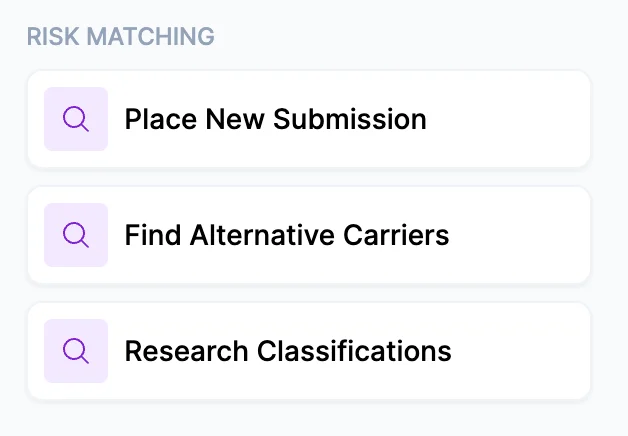
Three ways to use Risk Matching
- Place New Submission — Find the right markets for a new account
- Find Alternative Carriers — Re-market an existing account at renewal
- Research Classifications — Explore class code options to understand broader placement possibilities before committing to a submission
Tips for best results
- More documents mean better results. If you have an application, a prior dec page, and a loss run, upload all three. The more complete the risk profile Cara can build, the more targeted her market recommendations will be.
- Workers comp in monopolistic states is automatically flagged. For risks in Ohio, North Dakota, Wyoming, or Washington, Cara will note that WC isn’t available through independent agents and will not make a placement recommendation for that line.
- Public data verification takes time but adds value. With it enabled, Cara runs several progressive web searches on the business. For high-complexity commercial risks, the additional context is worth the wait.