

How it works
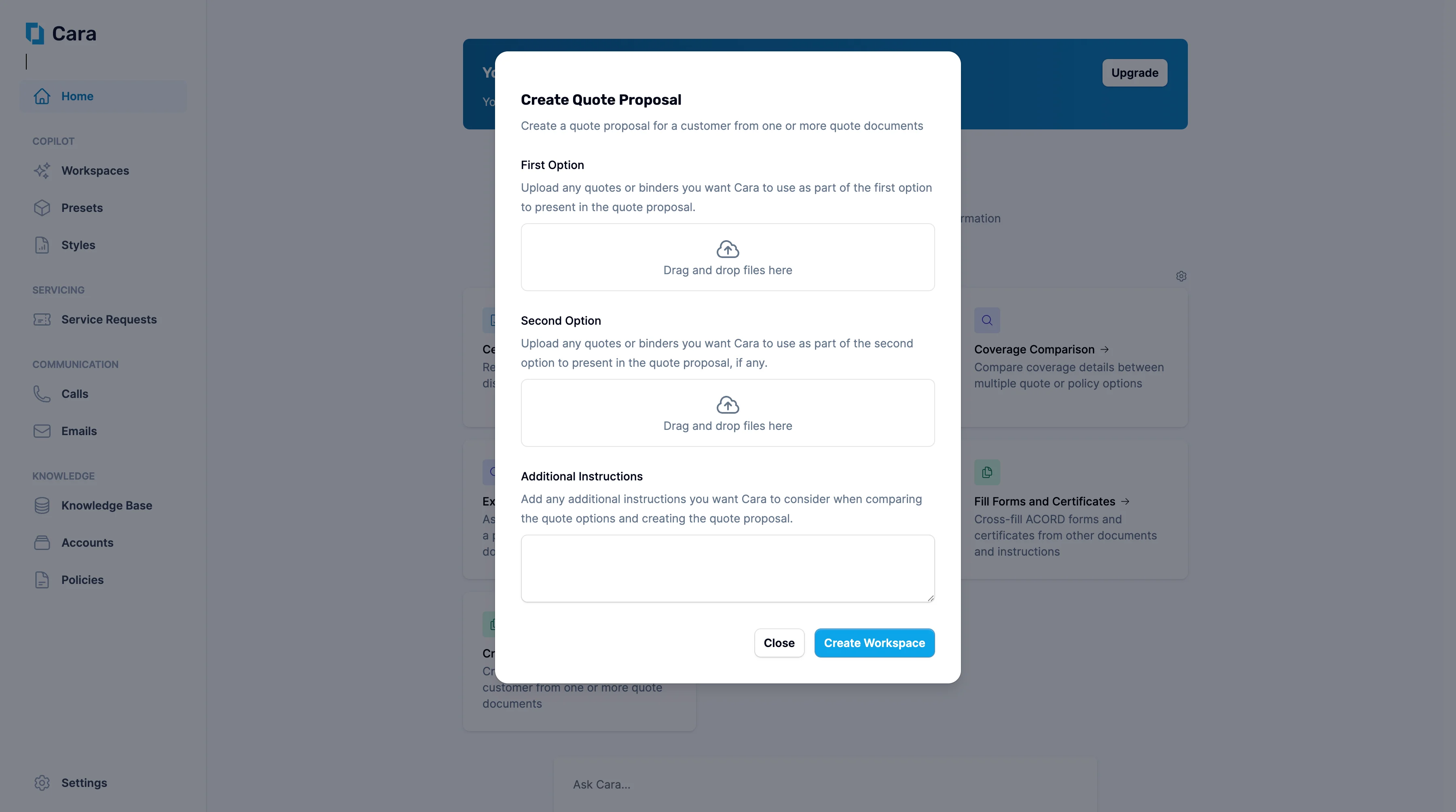
Quote Proposal
1
Upload documents
Start by uploading the quote(s) you’d like included in the proposal.
2
Add Additional Instructions
Use the Additional Instructions section to provide any additional information you want Cara to consider when comparing the quote options and creating the quote proposal—for example:
- “Make this suitable for a small business owner with no insurance background.”
- “Include a side-by-side comparison of options A and B.”
- “Summarise coverage inclusions and exclusions clearly.”
3
Click 'Create Workspace'
Once you click Create Workspace, Cara will generate a workspace containing: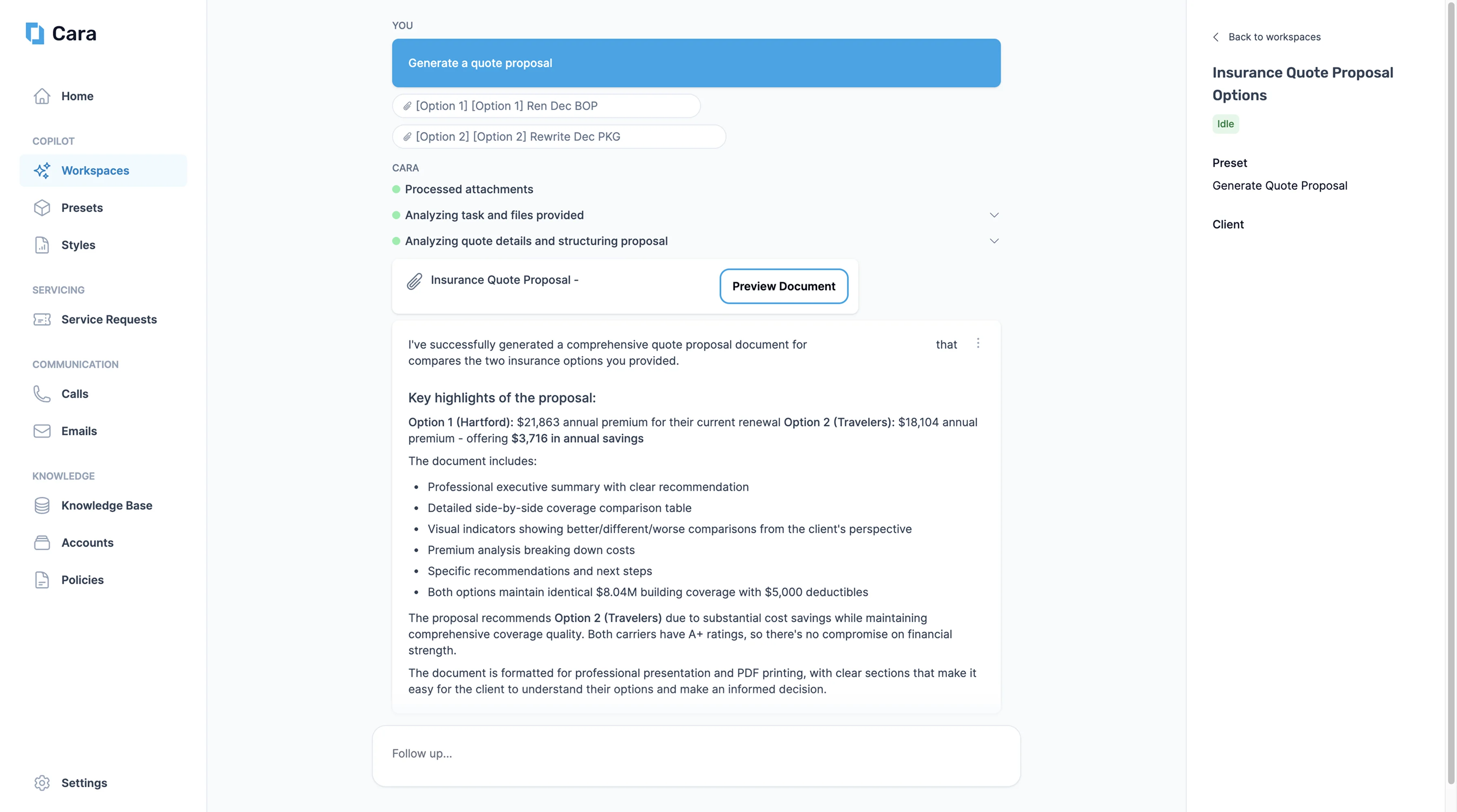
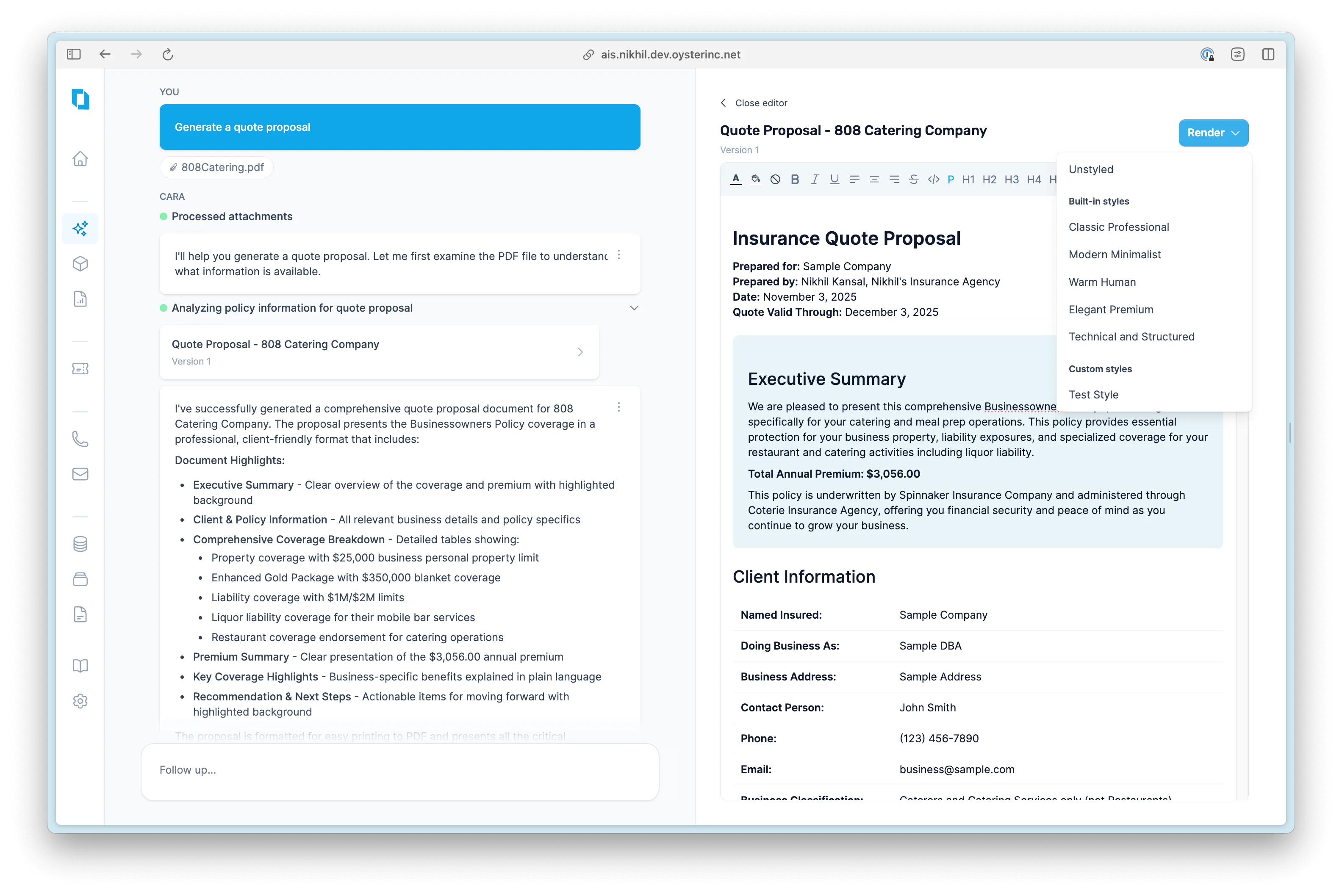
- A formatted draft proposal designed for client presentation
- A breakdown of coverages, premiums, and key selling points
- Highlighted tradeoffs or optional enhancements, if multiple quotes are provided
4
Next Steps
From here, you have several options, including:
- Edit the proposal
- Ask Cara to rephrase or restructure it
- Ask Cara to generate an email to send to the client
Final proposals are ready to copy into email, PDF, or your agency’s own templates