

How it works
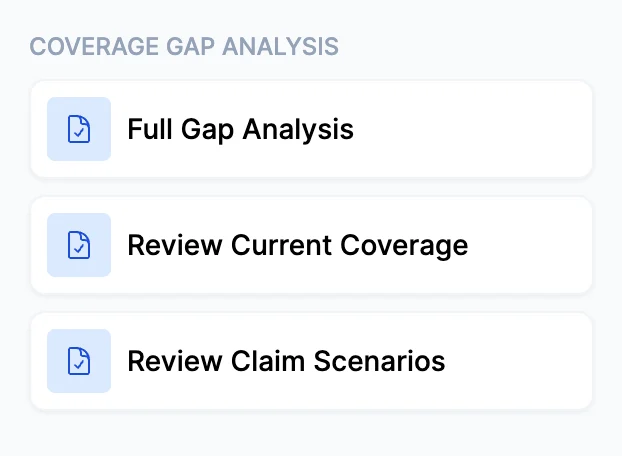
Coverage Gap Analysis
1
Select a use case
Choose the use case that matches your goal:
- Full Gap Analysis — The complete audit: policy extraction, exposure verification, additional lines research, and market identification from your knowledge base.
- Review Current Coverage — Focused on what’s inside the existing policies (limits, sublimits, exclusions, endorsements, deductibles). Use the Focus Areas field to direct Cara toward specific lines or concerns you want prioritized.
- Review Claim Scenarios — Focuses on the 2–5 most critical gaps and builds realistic hypothetical claim scenarios around each one. Use the Client Context field to describe the client’s operations so the scenarios are specific and relevant.
2
Upload policy documents
Upload the client’s current policy documents — declarations pages, policy forms, and endorsements. The more complete the submission, the more precise the output.You can also upload supporting documents separately, such as applications, property schedules, or endorsements not bundled with the main policy files.
No policy documents? You can still run the preset. Add context about the client in the notes field, and Cara will base her findings on that context and web research. All findings in this mode are labeled exposure-inferred rather than policy-confirmed.
3
Add notes
Use the notes field to give Cara context about the client’s operations, known exposures, or any specific concerns you want addressed. This is especially valuable when:
- The policy documents don’t fully describe the client’s actual business activities
- You’re running Review Current Coverage (notes become Focus Areas)
- You’re running Review Claim Scenarios (notes become Client Context)
4
Review findings
Cara’s output is a structured report with priority indicators throughout — 🔴 High, 🟡 Moderate, and 🟢 Low — so you can quickly see where the most significant opportunities are.For a Full Gap Analysis, the report includes:
- Executive Summary — A program snapshot with the top 3–5 findings and an overall assessment
- Coverage Adjustments — Limits, sublimits, deductibles, and valuations that should be revisited, with current values, recommended values, and the rationale for each change
- Exclusions to Remove / Coverages to Add — Exclusions that leave the client with active uninsured exposure, cited by specific form numbers and endorsement names
- Exposure Adjustments — Missing locations, unscheduled vehicles, unnamed entities, or DBAs not listed as named insureds that could affect how a claim is handled
- Additional Lines of Business — Coverages the client doesn’t currently carry, with the specific exposure evidence behind each recommendation and at least two potential markets from your knowledge base
- Claim Scenarios — 2–5 hypothetical claims built around the client’s actual operations and policy terms, each with a severity and likelihood assessment to help frame the conversation
The report also includes an E&O Risk indicator for the agency. If Cara identifies a gap that carries meaningful professional liability exposure, it will be flagged — but this is a secondary output, not the focus of the analysis.
5
Next steps
From here, you can:
- Ask Cara follow-up questions about specific findings
- Request additional claim scenarios for a particular coverage to strengthen a client recommendation
- Use the identified additional lines as the basis for a renewal conversation
- Run Risk Matching to identify carriers for any new lines recommended
What Cara verifies automatically
Before moving to the additional lines research, Cara runs three reconciliation checkpoints on every analysis:- Location reconciliation — Any addresses found through web research that don’t appear on the policy schedule are flagged as potentially uninsured locations.
- Named insured / DBA reconciliation — Any related entities or DBAs found online but not listed on the policy are flagged.
- Exclusion-to-exposure reconciliation — For every major exclusion found (cyber, pollution, EPLI, professional, products), Cara checks whether the client’s actual operations create active exposure in that excluded category.
Tips for best results
- Upload all policies, not just one. Cara reviews each policy separately and maps how they interact — a fuller picture means more precise recommendations.
- Market recommendations depend on your knowledge base. For the Additional Lines section, Cara identifies carriers from your agency’s knowledge base. The more complete your knowledge base, the more specific the market suggestions.
- Use claim scenarios in client conversations. The scenarios Cara generates are tailored to the client’s business type and specific gaps — they’re designed to make abstract coverage recommendations concrete and easy to act on.